ai and voice
The best AI tools for personal branding in 2026: an honest roundup
·
20 min read
·
By Prateek Singh, founder of VoiceMoat
Key takeaways
The best AI tool for personal branding depends on which layer is weakest: thinking and drafting (ChatGPT, Claude), content that reads like you (VoiceMoat), LinkedIn-only workflows (Kleo, Taplio, ContentIn), visuals (Canva), audio (ElevenLabs) or distribution (Typefully or Blotato; Hypefury only off Twitter).
For LinkedIn personal branding specifically, Kleo ($99 a month, with weekly group coaching), Taplio (AI writing from $69) and ContentIn (from $39) are the LinkedIn-only names that come up most; VoiceMoat covers LinkedIn and Twitter.
ChatGPT for personal branding is enough for occasional posts and brainstorming. A saved prompt encodes structure, not voice, so drafts drift back to the model's average within a session.
Compare the full cost: ChatGPT's $20 plus the editing tax of rewriting each draft into your voice, against a specialized tool that trains once on your posts. At daily volume the editing tax decides it.
Prices checked 21 October 2026: ChatGPT and Claude about $20, Blotato $29, VoiceMoat $35 ($1 trial), ContentIn $39, Jasper $69 ($59 yearly), Kleo $99. Hypefury no longer supports Twitter.
Disclosure: VoiceMoat is our own product. It is placed by what it does, not at the top, and its limits are named.
Updated 23 October 2026. This roundup now also compares ChatGPT for personal branding with specialized tools trained on your own posts: where ChatGPT is enough, why a saved prompt drifts back to generic, and what each really costs. Hypefury still appears only as a scheduler for LinkedIn and the other networks it serves, since it no longer supports Twitter; for Twitter scheduling, use Typefully or Blotato.
The best AI tools for personal branding in 2026 depend on which layer of your brand is weakest. For thinking and drafting, ChatGPT or Claude. For content that reads like you on LinkedIn and Twitter, VoiceMoat. For LinkedIn-only workflows, Kleo, Taplio or ContentIn. For team brand settings, Jasper. For visuals, Canva. For audio, ElevenLabs. For scheduling and distribution, Typefully or Blotato (Hypefury too, but only if you do not post on Twitter). Most AI tools will write for you; very few write like you, and in a feed full of generated posts that difference decides whether a personal brand compounds or blends in. This roundup is organized by the job each tool actually does, with prices checked on 21 October 2026 and the honest limits of each named. (Disclosure: VoiceMoat is our own product; it is placed by what it does, not at the top by default.)
What makes an AI tool good for personal branding?
This guide is written for solo creators, founders and thought leaders building a personal brand without a content team. Three criteria do most of the work:
Style learning, not prompt-following. Does the tool adapt to your actual writing history, or just follow the prompt you hand it each session? This is the clearest sign a tool is built for personal branding rather than marketed toward it.
Platform support where brands are built. Native drafting and scheduling for LinkedIn and Twitter, not a copy-paste afterthought.
Ease of use for one person. Speed to real output beats enterprise configuration a solo creator will never touch.
The first criterion cuts across the other two. When your posts start reading like everyone else’s, follows and replies quietly drop even if you post just as often. The mechanism is in why all AI-written tweets sound the same, and the strategic stakes are in authenticity as a moat. For using AI on the engagement side (comments, connection requests and DMs), see using AI for LinkedIn engagement.
The personal-branding AI stack at a glance
No single tool covers every layer well. Here is the stack, organized by the job each tool is built to do.
The best AI tools for personal branding in 2026, by the layer of your brand stack each one serves.
Tool | Layer | Best for | Where it falls short |
|---|---|---|---|
ChatGPT and Claude | Thinking and drafting | Brainstorming, repurposing, fast first drafts | No memory of how you write; output drifts to a neutral register |
VoiceMoat (ours) | Voice-trained content | Creators on LinkedIn and Twitter whose voice is a business asset | LinkedIn and Twitter only; posting images or carousels needs the Pro plan; no audio |
Kleo | LinkedIn content + coaching | LinkedIn creators who want a plan and weekly group calls | LinkedIn only; the priciest tool here at $99 a month |
Taplio and ContentIn | LinkedIn-native writing and scheduling | LinkedIn-only founders and consultants | LinkedIn only; Taplio’s AI writing starts on its $69 plan |
Jasper | Team brand-voice settings | Content teams producing branded output at scale | You configure a voice; it does not learn from your posts |
Canva | Visual identity | Post graphics, banners, a consistent visual system | Not built for writing posts |
ElevenLabs | Audio | Podcasts, voiceover, audio newsletters | Niche; adds nothing to a text-only brand |
Typefully | Drafting and scheduling | Clean composing and reliable multi-platform publishing | Assists phrasing; does not train on your voice |
Hypefury | Scheduling and auto-engagement | Hands-off queues and autoplugs on LinkedIn, Threads, Bluesky, Instagram and TikTok (not Twitter) | No longer supports Twitter; no free plan |
Blotato | Multi-platform creator stack | Native posting to 9 platforms and repurposing | AI tuned on viral posts, not your voice |
Starting prices, checked on each vendor’s own site on 21 October 2026. Monthly billing unless stated.
Tool | Free option | Paid from |
|---|---|---|
ChatGPT / Claude | Free tiers | $20 a month each (Plus / Pro) |
VoiceMoat | Free plan (no voice training); $1 for a 3-day trial | $35, $69 or $150 a month |
Kleo | No free plan; 7-day money-back guarantee | $99 a month or $999 a year |
Taplio | 7-day trial | $39 (no AI writing); $69 with AI |
ContentIn | 7-day trial (card required) | $39 a month ($31 billed yearly) |
Jasper | 7-day trial | $69 a month ($59 billed yearly) |
ElevenLabs | Free plan (no voice copies) | $6 a month |
Typefully | Free plan, 10 posts a month | $99 a year |
Hypefury (not Twitter) | 7-day trial | $6 per channel, or $19 for all |
Blotato | 7-day trial (card required) | $29 a month |
Canva has a free plan and a paid Pro tier; we could not load its pricing page on 21 October 2026, so check canva.com for the current figure. ChatGPT’s price is vendor-stated via search because its pricing page blocked our fetch.
The writing and voice layer
This layer decides whether your content reads like you, and it is the one most tools get wrong, because writing for you and writing like you are different problems.
ChatGPT and Claude: flexible power tools with a voice gap
ChatGPT and Claude are fast, flexible and genuinely useful, but the value is in the work before the post. Brainstorming hooks, repurposing long-form content, outlining and pressure-testing ideas are tasks where “80 percent of the way there, fast” matters more than “exactly like me”. Claude’s long context handles repurposing a long piece into several angles; ChatGPT’s breadth makes it a strong thinking partner. Both cost about $20 a month on their main paid plans (Claude Pro is $17 a month billed yearly).
The gap is voice consistency. Custom instructions and memory capture your description of your voice, not your voice, so output settles into a polished, neutral register. The full comparison is in the ChatGPT for personal branding section below, and the head-to-head is in Claude vs ChatGPT for content writing. If you use them for LinkedIn, our guide to getting ChatGPT closer to your LinkedIn voice helps. Use them as a thinking layer; do not lead with them if your voice is the asset.
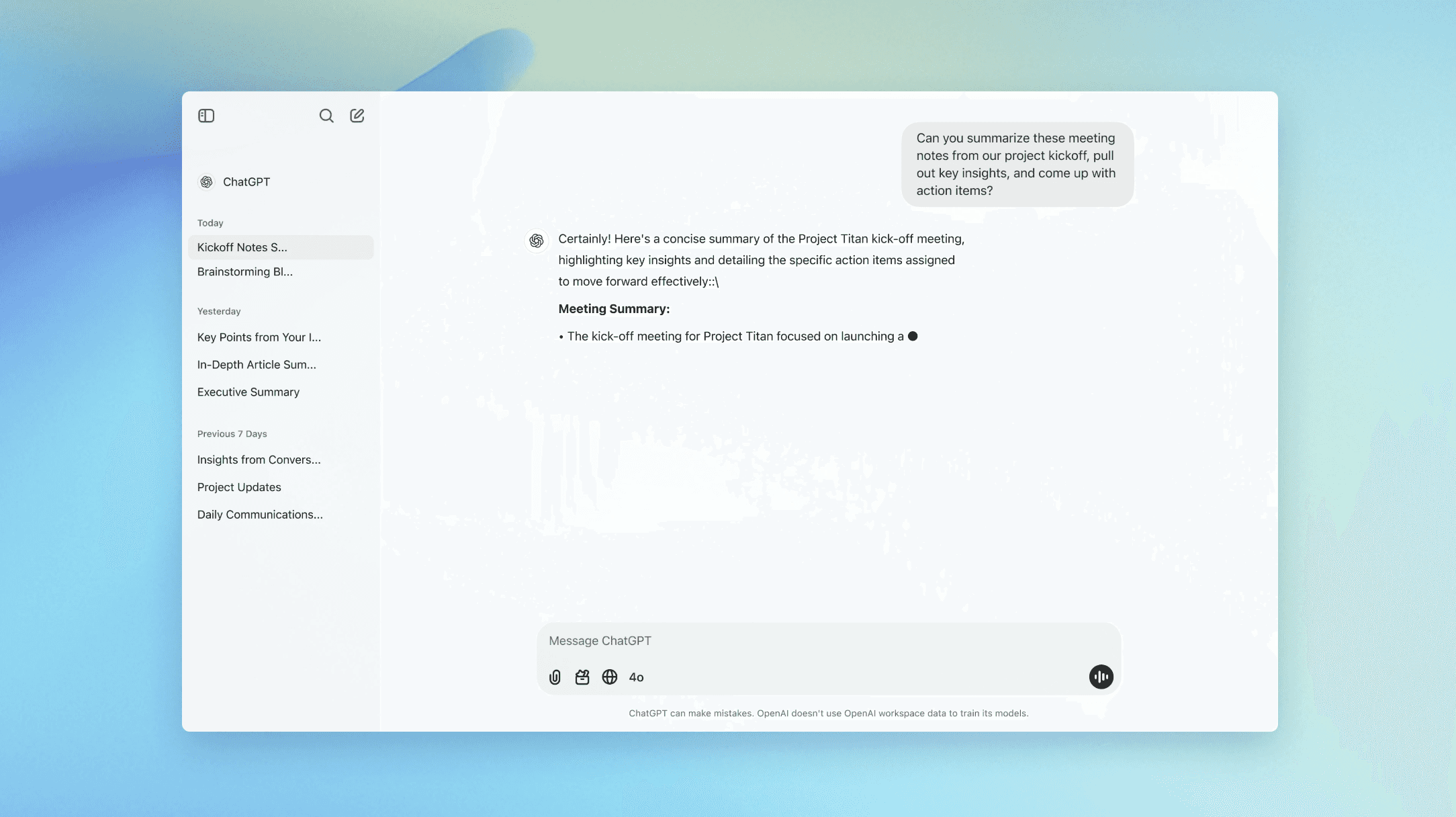
ChatGPT is a powerful generalist for the work before the post. Its default register is competent, but it is not your voice.

Claude handles long context well for repurposing, but like ChatGPT it captures a description of your voice, not your voice.
VoiceMoat: built around how you actually write
Disclosure first, since it is ours: we place it in the voice layer rather than at the top of an overall ranking, because the honest claim is narrow. VoiceMoat is the Personal Brand OS for LinkedIn and Twitter. At its core is audenAI, the brain inside VoiceMoat, which learns from your existing posts rather than from a description you write at setup. It reads how you already write (posts, replies and threads) and builds a voice profile across the 10 signals of voice: rhythm, vocabulary, hooks, structure, tone, punctuation, references, taboos, mode shifts and persona markers. The framework is in the 10 signals of voice, and the training steps are in how to train AI on your voice.
The differentiator is measurement. Drafts get a Style and Stance check: Style counts how many of your habits a draft matches, and Stance checks each line against what you actually say. We are not aware of an equivalent check tied to your own post history in the other tools here. VoiceMoat also drafts in Studio, schedules and publishes on LinkedIn and Twitter, shows analytics on both, and connects to Claude, ChatGPT and Grok. Plans: a free plan for looking around, then Creator at $35, Pro at $69 and Enterprise at $150 a month, with voice training from Creator up. A 3-day trial costs $1 (Creator) or $5 (Pro).
Where it falls short, plainly: it covers LinkedIn and Twitter only, posting images or carousels needs Pro, and it does not do audio. It models each person’s voice separately, so it suits agencies that keep every client distinct (team seats on Enterprise) rather than accounts that want one shared brand voice. If other AI has felt generic and your voice is the asset, it is the most direct fix; if your bottleneck is visuals or audio, the right tool is elsewhere in this list.
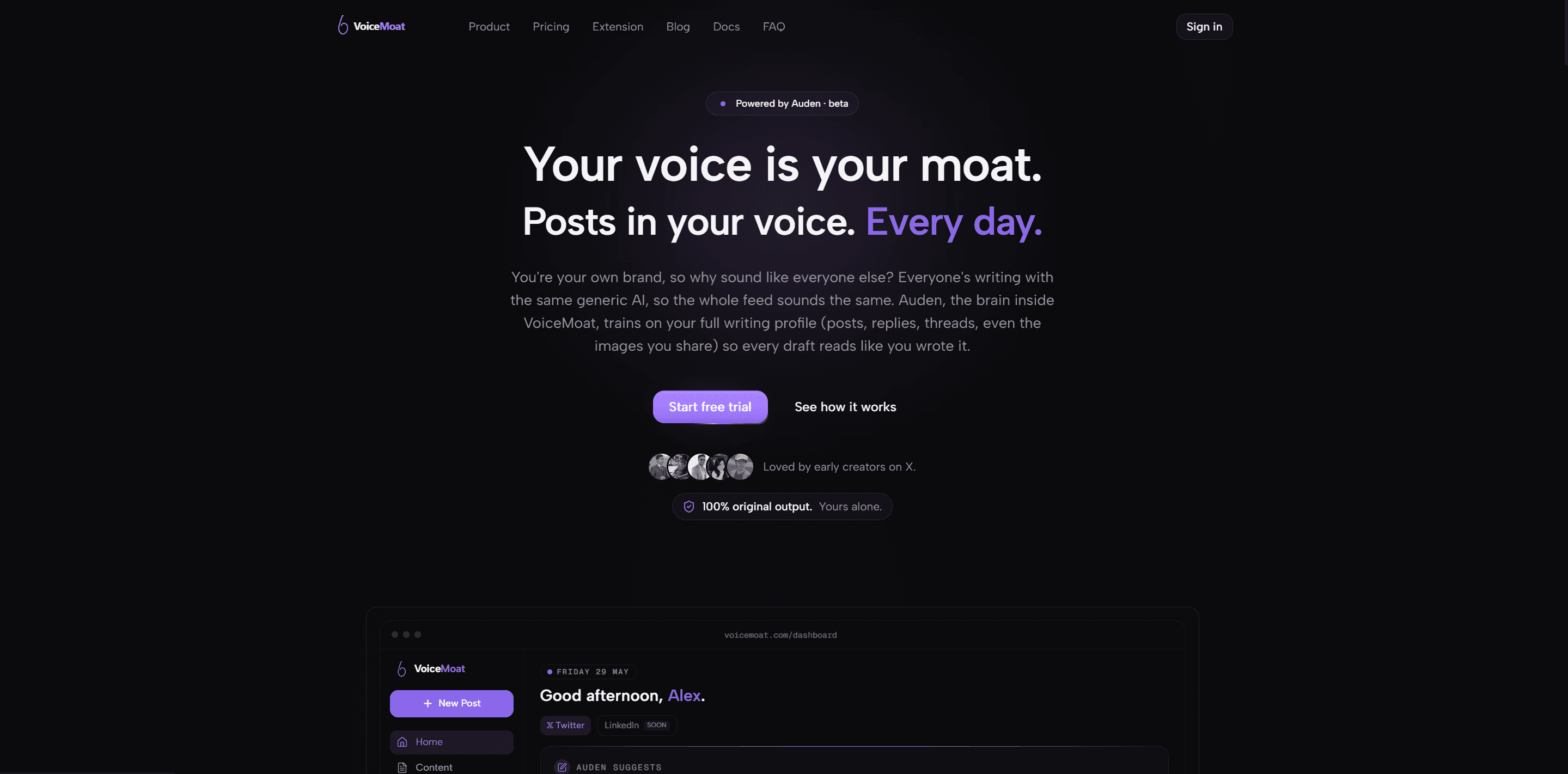
VoiceMoat sits in the voice layer: audenAI learns from your own posts, replies and threads, then checks your drafts for Style and Stance so the content you scale still reads like you.
Jasper: brand-voice settings are not brand-voice training
Jasper is a legitimate content platform for marketing teams producing branded output at scale. Its brand control, packaged as Jasper IQ, is something you configure: Pro includes 2 brand voices and 3 audiences, and Business adds style guides and unlimited voices. That tells you whether a post fits the persona you set up; it cannot tell you whether the post reads like you. Pro costs $69 a month, or $59 billed yearly, with a 7-day trial. For a multi-contributor team it is a useful guardrail; for a solo creator it is the wrong shape.
Jasper enforces a brand voice you configure (via Jasper IQ). Useful for teams, but it does not learn from how you personally write.
ChatGPT for personal branding vs specialized AI tools
Short answer: ChatGPT is a general assistant you steer with prompts; a specialized personal branding tool is built around a model of your own posts. For occasional content, ChatGPT is genuinely enough. For a brand you post under every week, the gap shows: a prompted assistant reaches back for its trained average, while a specialized tool starts from your voice and checks how close each draft lands.
One way to hold it: with ChatGPT you rent a voice impression for the length of a prompt, which is why you re-paste instructions session after session. With a specialized tool you keep a trained model of your voice across drafts. Renting is cheaper and faster to start; owning is what compounds when the voice is the asset.
ChatGPT (general-purpose assistant) versus a specialized tool trained on your posts (VoiceMoat), at a glance.
ChatGPT (general-purpose) | Specialized tool (VoiceMoat) | |
|---|---|---|
Built for | Everything, for everyone | Content that reads like you |
How it learns your voice | A prompt or saved memory you write | Trained on your own posts |
Voice model | None; steered at prompt time | A per-person profile across 10 signals |
Consistency | Drifts to its average across a session | Starts from your baseline each time |
Measurement | None; you eyeball it | Style and Stance checks on your drafts |
Setup | Build a prompt, re-paste often | Train once, then draft |
Cost | Free, or $20 a month for Plus | Free plan, or $35 to $150 a month |
Can ChatGPT write in your brand voice?
Partly. With a well-built prompt, custom instructions and memory on, ChatGPT can carry your topics, a rough version of your cadence and the structure of good posts. The step-by-step method is in how to train AI to write in your voice. The ceiling is structural, not a matter of prompt skill: a pasted sample is a description of your voice sitting in the context window, not what the model generates from. It follows your rules for a draft or two, then its average reasserts. Memory stores facts about you, not a model of how you write. Switching assistants does not fix it either; as Claude vs ChatGPT for content writing found, both drift toward their own default register. Test it yourself with the seven-test check, same briefs, both tools.
Why a saved mega-prompt still drifts back to generic
Popular community prompts, such as a widely shared “Twitter content strategist” framework on r/ChatGPTPromptGenius, encode hooks, line breaks, link placement and engagement tactics. They are good work, and their author is candid that the framework is “not a replacement for genuine insights”. The loop they produce looks like this:

The ChatGPT authenticity journey: build or find a mega-prompt, customize it, generate, re-add your voice by hand, save it, and repeat the loop every post.
A prompt is a set of rules about writing. Your voice is a pattern across everything you have already posted: rhythm, vocabulary, hooks, structure, tone, punctuation, references, taboos, mode shifts and persona markers (the 10 signals of voice). A prompt can name a couple of those; it cannot reproduce them.
What a saved prompt can encode versus what a model trained on your posts captures.
What a saved prompt encodes (rules) | What training on your posts captures (you) |
|---|---|
Hook templates, line breaks, CTA placement | Your cadence, rhythm and sentence length |
“Avoid cliches” and “be authentic” instructions | Your actual vocabulary and references |
The same framework everyone who copies it gets | A profile built from your own posts |
No measure of whether the draft reads like you | Style and Stance checks on your drafts |
How a specialized tool holds your voice
It changes what the model starts from. audenAI, the brain inside VoiceMoat, trains once on the posts you have already published, so you are not writing samples for it; a back catalog defines your voice where a handful of pasted examples only describe it. Drafts then start from that profile, get Style and Stance checks, and avoid common AI tells by default. It learns patterns rather than copying fixed lines, and it updates as your posts change. You stay in the loop: audenAI suggests, you decide.

Inside VoiceMoat’s Voice Lab: a writing persona trained on your own samples across the 10 signals of voice. This trained profile, not a prompt, is the thing ChatGPT has no equivalent for.
What ChatGPT does better
Breadth: research, summaries, planning, code and almost anything else. A voice-first tool is narrow on purpose.
Zero setup: no training step, a usable draft in seconds.
Cost to start: a useful free tier, and Plus at $20 a month.
Range: when you deliberately want a register that is not your usual one, a general model is easier to push around.
Breadth and voice consistency are different jobs. Personal branding is the second one.
Why generic AI content is now a brand liability
Generic is no longer neutral, because nearly everyone has the same tool. Graphite’s analysis of English-language articles from Common Crawl found AI-generated articles overtook human-written ones in November 2024. When the median post is machine-shaped, what stands out is the post that is unmistakably one person. Two constructed examples (not anyone’s real posts) on the same topic:
In today’s fast-paced digital landscape, building a personal brand is more important than ever. Here are five game-changing tips to elevate your presence and unlock your full potential. Consistency is key. Authenticity matters. Engage with your audience.
Generic AI default (constructed example)
I spent two years posting into the void before anything clicked. What changed it: I stopped writing like a brand and started writing like the person my friends actually text. One specific story beats five tips every time.
Reads like a person (constructed example)
The first is fluent and forgettable; the second has a point of view and a cadence you could pick out of a feed. The tells in the first are catalogued in the words AI overuses; the platform picture is in the state of AI content on Twitter in 2026.
What each approach really costs
The subscription is the easy part: ChatGPT Plus is $20 a month; VoiceMoat runs from a free plan to $35, $69 or $150. The cost people forget is the editing tax: rewriting each generic draft into your voice, plus maintaining and re-pasting the prompt. At one or two posts a week that tax is trivial and ChatGPT is cheaper outright. At daily volume it adds up to hours a week. Compare subscription plus editing time, not subscription against subscription.
Does using ChatGPT hurt your reach?
Not because it is AI. Twitter’s open-sourced ranking scores predicted engagement, such as the chance someone replies, not which tool drafted the post (see how the Twitter algorithm works). What costs you is the audience: readers have learned the generic shapes and scroll past them. Using a tool is not the liability; shipping the average is. Whether readers can tell is covered in can people tell you use AI.
When ChatGPT is enough, and when you need a specialized tool
Choose by your situation, not by which model is better.
Choose ChatGPT if | Choose a specialized tool if |
|---|---|
You post occasionally, not weekly | You post consistently and volume matters |
You enjoy the editing pass and treat AI as a sparring partner | You want drafts that need light edits, not rewrites |
Your personal brand is a side note | Your personal brand is a business asset |
You mostly need brainstorming and reformatting | Voice consistency at scale is the point |
You do not mind re-prompting every session | You want to train once and stop prompt-engineering |
Many people keep both: brainstorm in ChatGPT, draft anything that ships under their name in a voice-first tool. The branded head-to-head is VoiceMoat vs ChatGPT, and evaluating VoiceMoat in 3 days is a structured way to test it for your case.
The best LinkedIn personal branding tools in 2026
If LinkedIn is your main platform, three LinkedIn-only tools come up most. All three were checked on their own sites on 21 October 2026.
Kleo ($99 a month or $999 a year) pairs AI writing tuned to your past content with a content strategy, a large template and hook library, graphics, scheduling, analytics and weekly live group coaching calls. The coaching is what the price buys. Read what Kleo is and Kleo pricing explained.
Taplio (Starter $39, Growth $69, Pro $199 a month) is the LinkedIn-native all-in-one for drafting, carousels, scheduling and analytics. AI writing starts on Growth, not Starter. See Taplio pricing.
ContentIn (Growth $39, Pro $59 a month, less billed yearly) calls itself a LinkedIn AI ghostwriter. It learns from your existing posts (it asks for at least 20) and drafts next week’s posts every Sunday. See what ContentIn is.
All three are LinkedIn-only. If you also post on Twitter, VoiceMoat covers both with a separate trained voice for each. The full LinkedIn stack, including Oiti, profile audits and visuals, is in the best AI tools for LinkedIn personal branding.
The visual layer: Canva
A personal brand is also how your content looks. Canva does not compete with the drafting tools, and that is the point: consistently styled graphics, banners and carousels build recognition text alone cannot. Magic Design, background removal and image generation make visual consistency achievable for non-designers. The most underused part is the Brand Kit, which stores your colors, fonts and logos so every design pulls from one system. The free plan is generous; Pro adds Brand Kit depth and more AI features. The strongest solo stack pairs a voice-trained drafter with Canva: your posts read like you, and your visuals look like you.

Canva is the visual layer: a Brand Kit plus Magic Design make consistent post graphics and banners achievable without a designer.
[ from the team behind this blog ]
Post on LinkedIn and Twitter in a way that reads like you
VoiceMoat is the Personal Brand OS for LinkedIn and Twitter. audenAI, the brain inside it, learns from your own posts, then helps you create, schedule and grow.
Creator plan $35 a month after the trial. Cancel anytime.
The audio layer: ElevenLabs
If your brand extends into podcasts, audio newsletters or video voiceover, ElevenLabs keeps your spoken voice consistent at scale. You record samples, it builds a copy of your speaking voice, and you generate speech from text. Its pricing page lists a free plan (no copies of your own voice), an instant copy from the $6 Starter plan, and the higher-fidelity professional option from the Creator plan ($22 a month, discounted for the first month). It is niche: if your brand is all text, it adds nothing, so judge it on your content format.
ElevenLabs is the audio layer for podcasts and voiceover. Useful only if your brand extends into audio or video, not text alone.
The scheduling and distribution layer: Typefully, Hypefury and Blotato
These tools ship your content well. None of them is built around a model of how you write, so treat this layer as distribution, not voice.
Typefully: the cleanest composer and scheduler
Typefully is the cleanest option for a distraction-free composer. It started on Twitter and now publishes to LinkedIn, Threads and other networks, with queue scheduling and analytics. Its AI helps with phrasing, which is a drafting aid rather than a model of you. Pricing as listed on 21 October 2026: Free (10 posts a month), Creator at $99 a year, Business at $20 a month per social set. The honest head-to-head is in VoiceMoat vs Typefully.
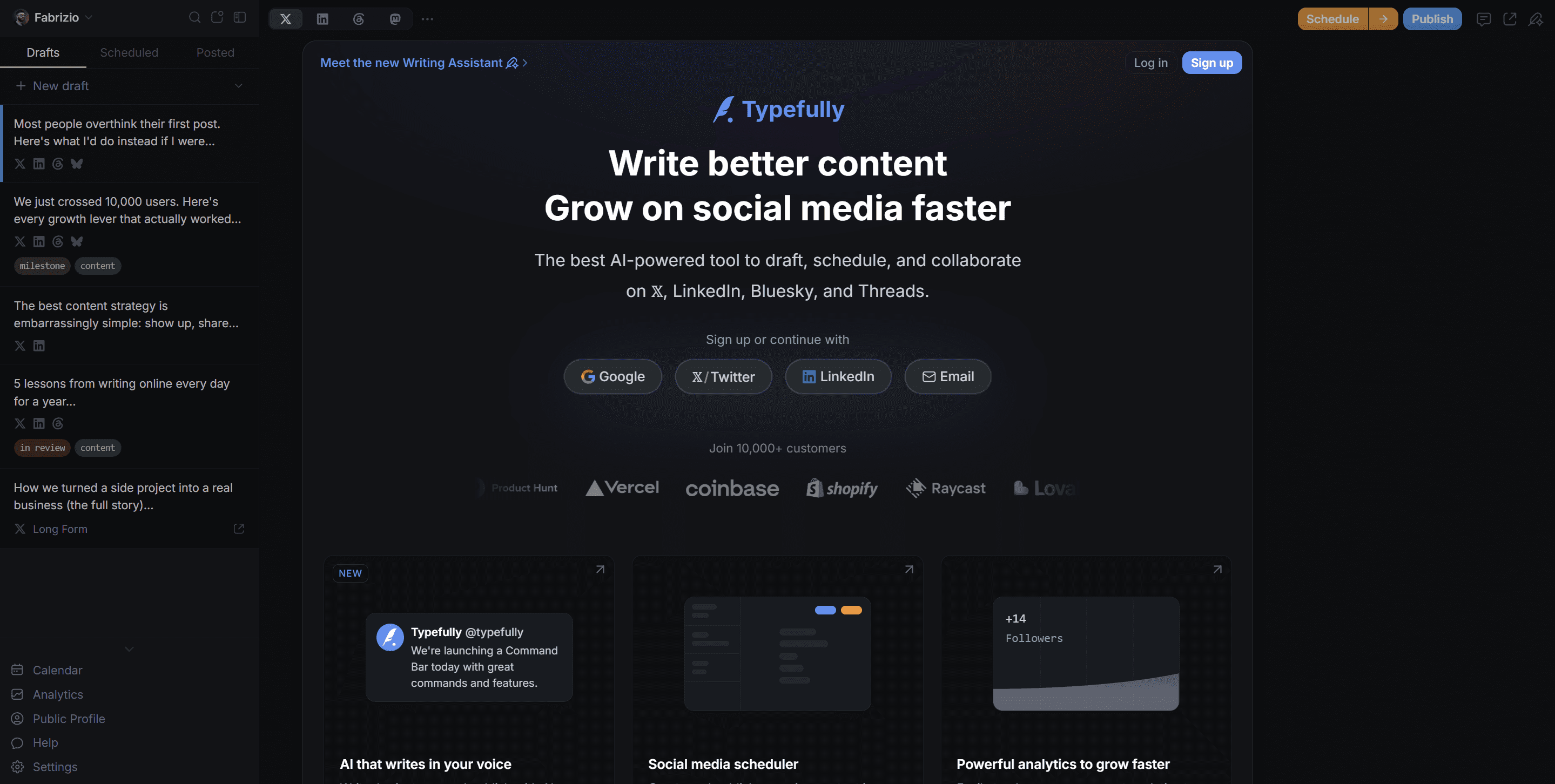
Typefully sits in the scheduling layer: a clean composer and reliable queue. Its AI assists phrasing; voice still comes from elsewhere.
Hypefury: scheduling with built-in auto-engagement (no longer on Twitter)
Hypefury is the scheduler for hands-off distribution: autoplugs that promote an offer under a post that is doing well, cross-posting, and AutoDMs on Instagram, across Bluesky, Threads, LinkedIn, Instagram and TikTok. Its own pricing FAQ says it no longer supports Twitter. Plans checked 21 October 2026: Flexible at $6 a channel a month, or Full at $19 a month for every channel, which the page says includes AI trained on your posts. There is no free plan, only a 7-day trial. Options for Twitter users are in the best Hypefury alternatives.
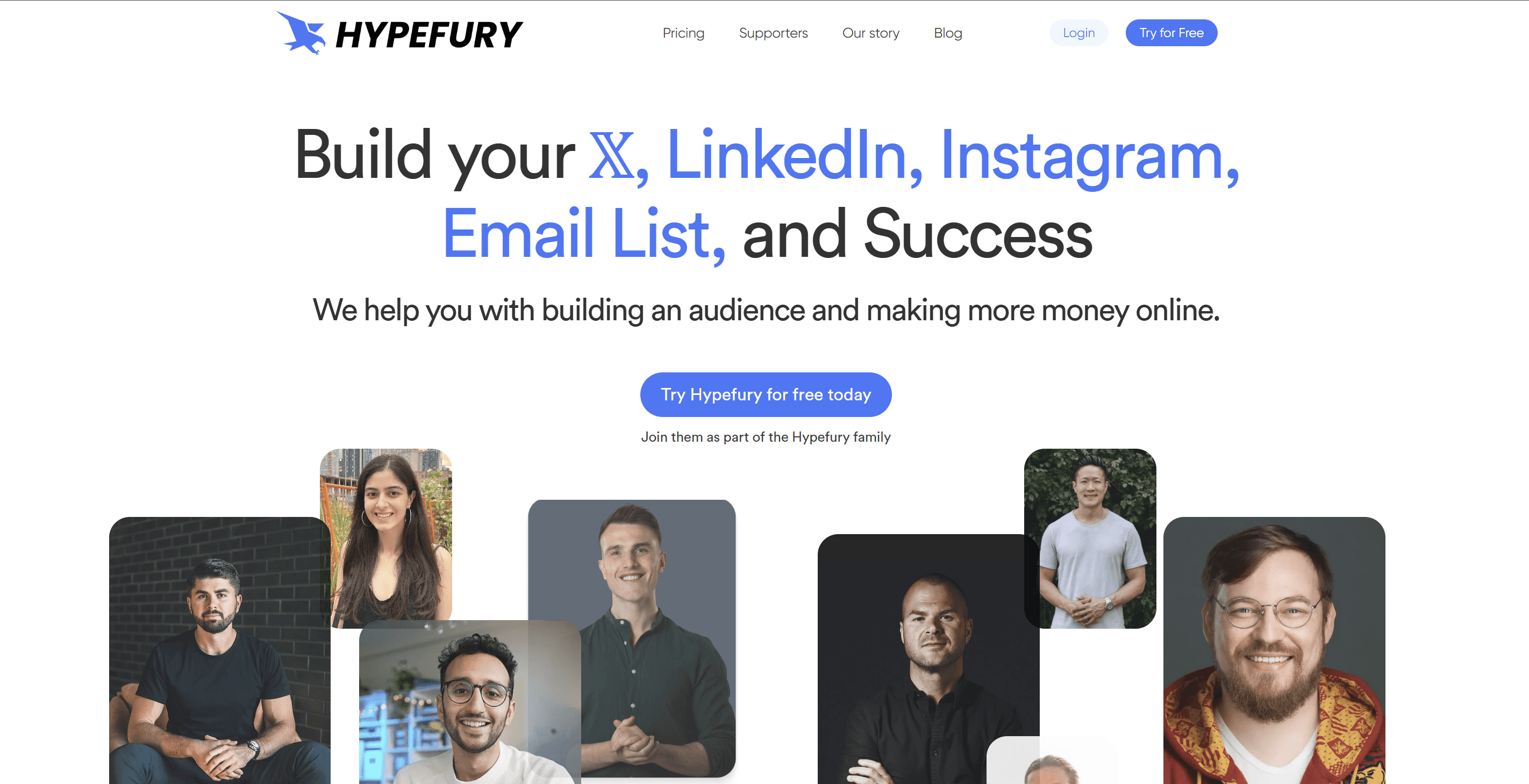
Hypefury is the most automation-heavy scheduler here: autoplugs, cross-posting and Instagram AutoDMs, but no longer on Twitter.
Blotato: a multi-platform creator stack
Blotato is the broadest of the three: native publishing to nine platforms (Twitter, LinkedIn, Facebook, Instagram, TikTok, YouTube, Threads, Bluesky and Pinterest), turning a video, article or PDF into posts, and making carousels, slideshows and short videos. Its FAQ says output runs through templates and a model fine-tuned on viral posts, which is a real distinction, but it is trained on what performs, not on you. Plans checked 21 October 2026: Starter $29, Creator $97 and Agency $499 a month, each with a 7-day trial that needs a card. The practical pairing: draft in a voice-trained tool, then distribute with one of these.
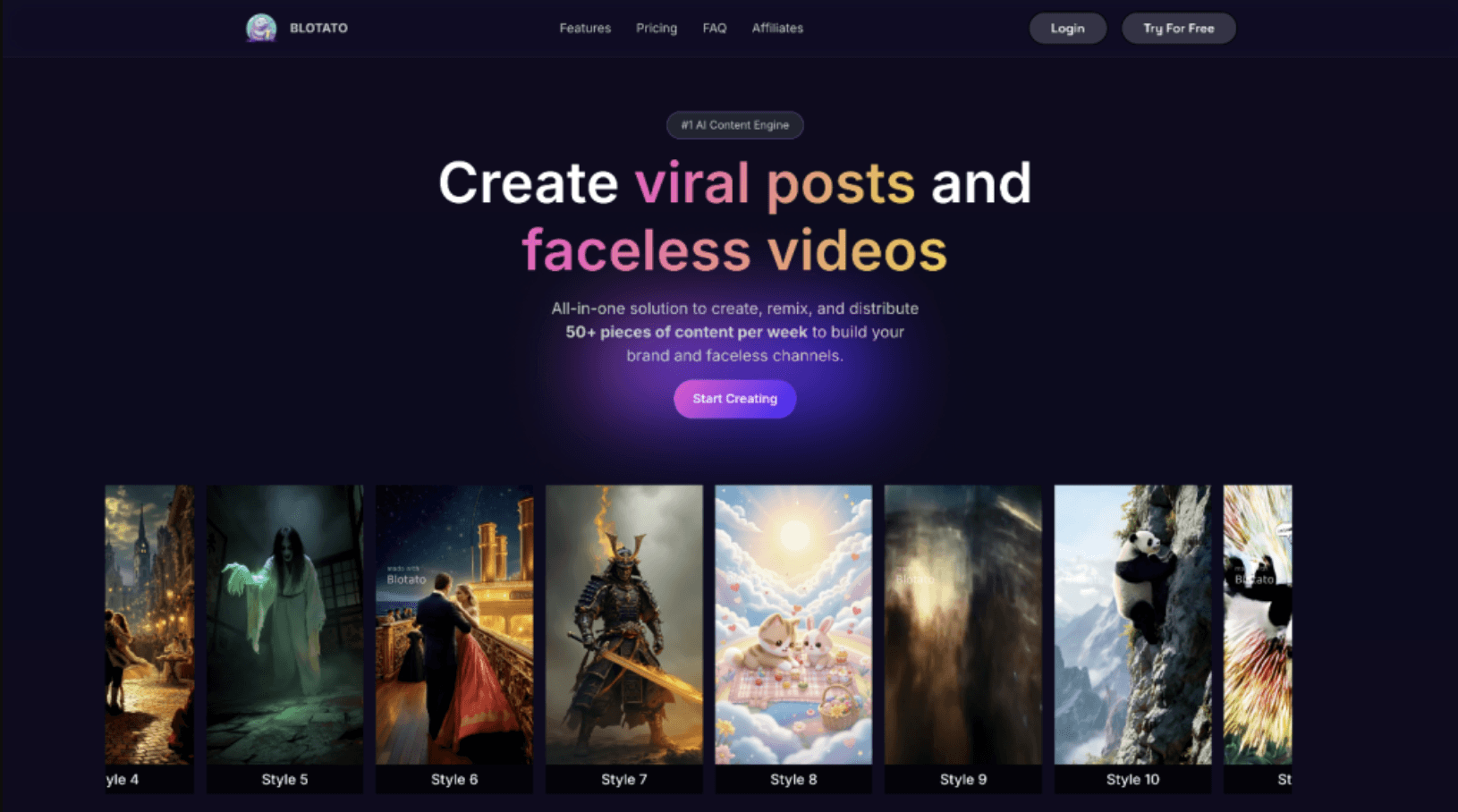
Blotato is the broadest distributor here: native posting to 9 platforms and repurposing. Its AI is tuned on viral patterns, not on your voice.
What is an AI personal branding assistant?
An AI personal branding assistant is software that helps you run the ongoing work of a personal brand: deciding what to post, drafting it, keeping it consistent, publishing it and learning from the results. The useful ones do three things a general chatbot does not:
They remember you. They learn from your own posts and edits, so the tenth draft is closer to you than the first.
They organize your topics. Good assistants keep your content pillars, captured ideas and past posts in one place, so you are not starting from a blank page each week. Kleo, ContentIn and VoiceMoat all store ideas; VoiceMoat also keeps a record of what you actually say, which feeds the Stance check.
They close the loop. They read your analytics and feed what worked into the next plan.
A general assistant can help with one-off jobs such as drafting a personal branding statement (give it your audience, what you do and what you believe, then edit it hard), but it will not remember the result next week. When the assistant also schedules, replies and reads results from one memory, it becomes what we call a Personal Brand OS.
Can AI tools replace a content team for a founder?
Mostly, for the production side, if you keep the judgment. A small content team does four jobs, and each maps to a layer above:
Writer: a voice-trained drafter (VoiceMoat, or Kleo or ContentIn if you are LinkedIn-only), with ChatGPT or Claude for research.
Designer: Canva for carousels and graphics.
Social manager: a scheduler, either built into your drafter or a separate one like Typefully or Buffer.
Strategist: this is the part AI does least well. Kleo sells coaching for this reason; otherwise it is you, with your analytics.
What AI cannot replace is your point of view and your stories. Feed it real seeds from your week, and it will turn them into posts; ask it for ideas from nothing, and you get the average of everyone. The founder-specific workflow is in the best AI Twitter tool for founders.
What separates a personal-branding AI from a generic writing assistant?
A generic AI writing assistant makes you more productive; a personal-branding AI makes your output more distinctly you. Volume without voice does not compound into a brand. Three capabilities define the real thing: style training on your actual content history (not a prompt or a settings panel), a way to check whether a specific draft matches your style before you publish, and output that evolves with your voice rather than staying frozen at setup. The fuller framework is in the personal brand voice framework.
This matters because your voice is the one thing a competitor cannot copy. They can cover your topics, match your frequency and use your platforms; they cannot replicate how you think. Trust is the conversion mechanism, and voice is the trust mechanism.
How to build your stack: the first 3 steps
Every tool here is useful for something; the question is which part of your stack is most broken. Whatever you pick, the setup is the same three steps, and the first is the one most people skip.
If you would rather not stitch the layers together yourself, what a Personal Brand OS is explains the alternative: one system that runs the five jobs of a personal brand from a shared memory.
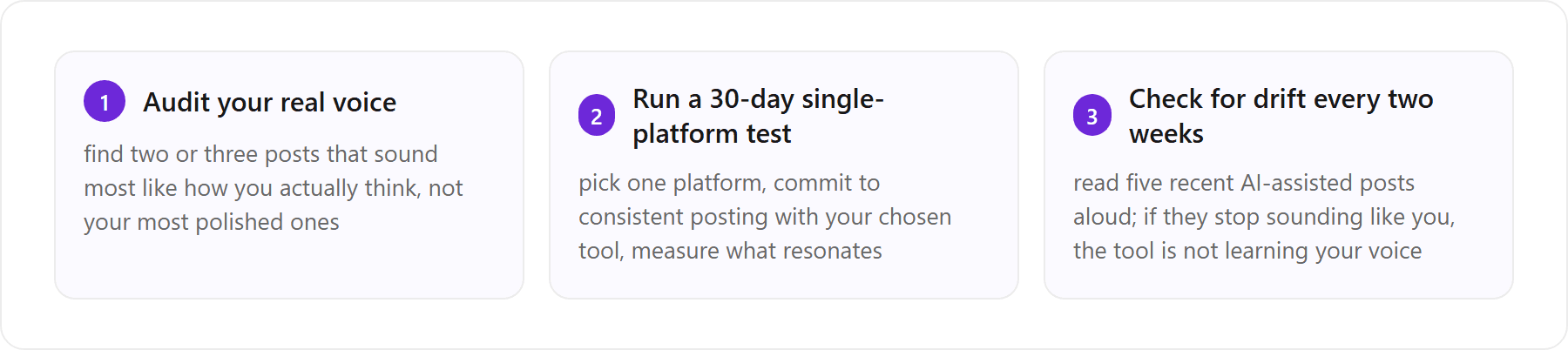
The first three steps to a working AI personal-branding stack: anchor on your real voice, run a focused experiment, then check for drift on a short cycle.
The first step is the least exciting, which is why it gets skipped. Those representative posts anchor everything downstream, whether you train a voice-aware tool on them or build custom instructions for a general assistant. If you want a quick outside read on whether a draft reads as machine-written, our free AI detector gives one. For the Twitter-specific roundup, see the best AI Twitter tools in 2026; for long-form, SEO and marketing copy, see our ranked comparison of AI tools for long-form content.
The bottom line
The best AI tool for personal branding is the one that makes your voice stronger, not the one that replaces it. Canva for visuals, Typefully or Blotato for distribution, ElevenLabs for audio, ChatGPT and Claude for brainstorming, and Kleo, Taplio or ContentIn if you live on LinkedIn: all genuinely useful. Few of them address voice the way a style-trained, checked approach can. If you are a solo creator, founder or thought leader on LinkedIn and Twitter, start with a tool that learns from how you already write. If that is the layer you want to fix first, start with audenAI: $1 for 3 days, plans from $35 a month. audenAI suggests. You decide.
Frequently asked questions
What are the best AI tools for personal branding in 2026?
It depends on which layer of your brand is broken. ChatGPT or Claude for thinking and drafting, VoiceMoat for content that reads like you on LinkedIn and Twitter, Kleo, Taplio or ContentIn for LinkedIn-only workflows, Jasper for team brand settings, Canva for visuals, ElevenLabs for audio, and Typefully or Blotato for distribution (Hypefury too, but not for Twitter).
What are the best LinkedIn personal branding tools in 2026?
Kleo ($99 a month, with weekly group coaching), Taplio (Starter $39, AI writing from $69) and ContentIn (from $39) are the LinkedIn-only tools most people compare, all checked on 21 October 2026. VoiceMoat covers LinkedIn and Twitter with a separate voice for each. The full LinkedIn stack is in the best AI tools for LinkedIn personal branding.
What is an AI personal branding assistant?
Software that helps run the ongoing work of a personal brand: choosing topics, drafting, keeping a consistent voice, publishing and learning from results. The useful ones learn from your own posts and edits, keep your ideas and content pillars organized, and feed analytics into the next plan, which a general chatbot does not do between sessions.
Is ChatGPT good enough for personal branding?
For occasional posts, brainstorming, repurposing and fast first drafts, yes. For a brand you post under consistently, it falls short on a recognizable voice: custom instructions capture a description of your voice rather than your voice, and output drifts back to a neutral register across a session. Use it as a thinking layer, not the main tool if your voice is a business asset.
Can ChatGPT learn my writing style permanently?
Not as a trained model. Memory and custom instructions store facts and preferences about you, and they help, but they are notes in the context window rather than a model of how you write, so the model's average reasserts after a draft or two. A specialized tool trains on your own posts, so your posts are what it starts from.
Can I use ChatGPT and a specialized tool together?
Yes, and many people do. A common split is to brainstorm angles and outlines in ChatGPT, then draft anything that ships under your name in a tool trained on your posts, so the published voice stays consistent.
Can AI tools replace a content team for a founder?
For production, mostly: a voice-trained drafter covers the writer, Canva covers the designer, and a scheduler covers the social manager. Strategy and your point of view still come from you, which is why some tools such as Kleo sell coaching alongside the software.
Is VoiceMoat free?
VoiceMoat has a free plan (10 credits a day, 3 posts and 10 replies a day, 1 profile, no audenAI chat or voice training), plus Creator at $35, Pro at $69 and Enterprise at $150 a month. A 3-day trial costs $1 on Creator or $5 on Pro. It covers LinkedIn and Twitter, with team seats on Enterprise.
AI disclosure
Written and fact-checked by Prateek Singh. VoiceMoat is the publisher's own product and is disclosed as such; competitor details reflect public information at time of writing and VoiceMoat product details reflect the product as of June 2026. Facts and prices rechecked on 21 October 2026. Tool facts rechecked on 23 October 2026.
Keep reading

AI and Voice
Every social MCP connector reaches both platforms. That is not the hard part
We were going to write that connecting one assistant to both Twitter and LinkedIn was rare. It is not. More than twenty connectors do it and several are free, so channel coverage is table stakes and every roundup ranking them by it is measuring the wrong thing. Here is what actually differs between them, and the one thing we read enumerated tool lists for six of them to confirm nobody does at all.
11 min read
·

AI and Voice
Why your Claude writing skill doesn't sound like you
There are dozens of free Claude skills for writing, and almost all of them do the same thing: strip out phrases that read as machine-written. That is subtraction, and it leaves you sounding like nobody in particular rather than like yourself. The handful that actually learn a voice from your own writing have a fraction of the users. Here is the difference, why a skill cannot post anything no matter what it says, and where the file actually goes on every surface.
13 min read
·

AI and Voice
Hootsuite alternatives in 2026, priced from the vendors' own pages
Hootsuite starts at $99 per user a month, not $19. Here is what the realistic alternatives cost, read off each vendor's own pricing page in both billing positions, plus the clause in Hootsuite's terms that its pricing page does not mention.
10 min read
·

AI and Voice
Taplio alternatives in 2026, priced from the vendors' own pages
Four LinkedIn tools people move to from Taplio, priced from each vendor's own pricing page rather than from each other. Includes the arithmetic on Taplio's Pro tier, which does not add up, and one name still on every recommendation list that has quietly shut down.
11 min read
·

AI and Voice
How to train AI to write in your voice: the cross-model guide
You can get ChatGPT, Claude or Gemini to write in your voice, but only partly and only for one session, because chat models forget your style between chats. This cross-model guide covers the analyze-then-write prompts that work, the settings that make them stick, the four levels of personalized AI content, a reusable instruction block for tweets, and the persistent alternative for anyone who posts regularly.
16 min read
·
From the Twitter algorithm series
The Twitter/X algorithm in May 2026: why voice wins under the new transformer
Read ›

