
If you are asking what the best AI tools for LinkedIn personal branding are in 2026, the honest answer is that it depends on which job you need done, and one job matters more than the rest. Scroll LinkedIn for five minutes and the pattern is hard to miss: the same three-word hooks, the same five-bullet frameworks, the same 'what do you think?' close. A lot of it is AI-written, and most of it reads like it came from one template. The creators actually building audiences are not the ones posting the most. They are the ones who read unmistakably like themselves every time. This is a job-by-job guide to the tools that help with that, ranked on voice quality, output, and whether you will realistically keep using them. By the end you will have a tool for each layer of the stack, three repeatable workflows you can run in under an hour a week, and a simple way to tell after 30 days whether any of it is working. One capability decides the whole list, and most of the tools here do not have it. (Disclosure: VoiceMoat is our own product, placed by what it does, not crowned by default. Named-tool note: ChatGPT, Claude, and the rest are named as the tools people actually use; audenAI, the brain inside VoiceMoat, is named as a product, never as a backend model.)
What separates a great LinkedIn AI tool from a generic one?
Most roundups skip the criteria and jump to the list, which is how you end up choosing the tool you already heard of rather than the one that fits your situation. For LinkedIn personal branding specifically, three axes decide whether a tool helps or hurts your brand:
- Voice authenticity. Does the output sound like you, or like every other AI-polished LinkedIn post?
- Content quality. Would a real person in your target audience actually stop, read, and engage, or scroll straight past?
- Repeatable usability. Can you sustain this at three posts a week for six months without burning out?
Enterprise content tools optimize for brand safety, approval workflows, and consistency across large teams, which actively works against a solo creator who needs personal, fast, and authentic output above everything else.
The first axis quietly governs the other two. When a post sounds generic, the hook fails to stop anyone who has seen the same format a dozen times that week, fewer people click through to your profile, and the audience that does follow forms a blurry impression instead of a clear one. The 2026 LinkedIn algorithm rewards depth (meaningful comments, saves, dwell time), and templated posts produce shallow engagement at best. The mechanism behind that sameness is the same one that flattens every platform: large models generate from the statistical average of their training data, covered in why all AI-written tweets sound the same. The strategic stakes are in authenticity as a moat. Run every tool you meet through one filter: does it learn how you write, or generate from scratch each time? Anything that fails that question is adding volume to a feed that already sounds the same.
Here is the part most tool roundups skip, and it is the one that decides everything else: not which tool writes 'best' in the abstract, but which one writes like you. Hold that single test against every tool below. The ones that fail it are just adding more average to an already-average feed.
The best AI tools for LinkedIn personal branding, at a glance
A LinkedIn personal brand has more than one layer, and no single tool covers all of them well. Here is the stack, organized by the job each tool is actually built to do.
| Tool | Job | Best for | Where it falls short |
|---|---|---|---|
| VoiceMoat (ours) | Voice-trained writing | Creators whose voice is the asset; train on X now, port drafts to LinkedIn | LinkedIn drafting, scheduling, and analytics are live; text only |
| ChatGPT and Claude | Drafting and ideation | Fast first drafts, outlines, research-backed posts | You carry the voice work every session; no memory of your style |
| Jasper | Team brand voice | Marketing teams with multiple contributors | Overbuilt and pricey for a solo personal brand |
| Canva | Visuals | Carousels, quote graphics, branded feed posts | Not a writing or voice-matching tool |
| Taplio | LinkedIn-native publishing | All-in-one LinkedIn drafting, carousels, scheduling, analytics | Voice is prompt-level, not trained on your writing |
| Growleads / Hooktide | Profile audit | Scoring and fixing your profile before you scale posting | One-time setup help, not an ongoing content tool |
VoiceMoat: the voice layer for LinkedIn, built around how you actually write
Most AI writing tools take your prompt and generate from a general model trained on the internet. VoiceMoat works the other way around: it starts with how you actually write, trains on that, and drafts from your baseline rather than from the statistical average of professional LinkedIn posts. That architectural difference is the whole point, and it is worth understanding before comparing it to anything else. One note first: VoiceMoat covers both Twitter and LinkedIn, with drafting, scheduling, and analytics on each. The workflow is covered plainly further down.
How audenAI learns the way you write
audenAI, the brain inside VoiceMoat, trains on your full writing profile, your real content (posts, replies, threads, and the images you have shared), across 10 signals of voice: sentence rhythm, vocabulary, how you open an idea, how you handle a technical point differently from a personal story, how you deploy humor or directness, and so on. The point is not a tool that generates 'LinkedIn-sounding' content. It is one that drafts content that reads like you specifically, because it learned from you specifically. This is voice training, not voice cloning, and it is a different thing from a prompted session: when you tell a general model to 'write a LinkedIn post in my style' and paste two examples, it approximates from a description; audenAI builds the understanding from your actual corpus and gets sharper as it sees more. The full breakdown of what that means at the model level is in how to train AI on your writing style, and the signal stack itself is in the 10 signals of Voice DNA.
What the voice match score actually tells you
Every VoiceMoat draft carries a voice match score: a measurable read on how closely it matches your natural tone and style, built from vocabulary alignment, sentence structure, tonal consistency, and the stylistic patterns specific to you. There is an 80 percent ship-ready floor, and audenAI refuses to surface drafts that fall below it rather than handing you off-voice output to clean up. The AI vocabulary cluster (leverage, delve, unlock, navigate, harness, foster, elevate, embark, robust, seamless, comprehensive, holistic) is refused by default. A number changes how you review content: instead of asking 'does this feel like me?' and trusting your gut, you have a signal to optimize toward, which is what prevents voice drift, the slow slide where AI-assisted content starts sounding more like the tool than like you. The full explainer is in the voice match score, explained.
A prompt describes your voice. Training learns it. That one line is the entire difference between content that sounds like you and content that sounds like the feed, and it is the test the rest of this guide keeps coming back to.
Who gets the most out of it on LinkedIn
VoiceMoat is strongest for LinkedIn thought leaders, executives, consultants, coaches, and solo creators who built an audience on a distinct voice and understand that diluting it with generic AI output has a real cost. The most common jobs it does on LinkedIn:
- Drafting posts from rough notes or a voice memo.
- Holding a consistent tone across longer pieces and articles.
- Staying on schedule during busy weeks, when writing from scratch is not realistic.
- Developing fresh angles without starting from a blank page.
For professionals who are their own best marketing asset, the voice layer is the part of the stack that compounds.
The honest LinkedIn workflow today (and what is coming)
Here is the part most roundups would fudge. VoiceMoat does not yet publish or schedule to LinkedIn natively. So the honest, working two-step today is: train audenAI on your writing now (X is the live training surface), draft your LinkedIn posts in that trained voice, check the voice match score, and port the post to LinkedIn yourself. Your voice is the thing that travels across platforms; the format and the publishing step are what you handle separately for now. That is the same discipline laid out in how to repurpose tweets into LinkedIn posts without sounding generic, and the X-side playbook that feeds it is the voice-first personal brand on X. Native LinkedIn content generation, scheduling, and analytics are on the way; until they land, pair VoiceMoat for the voice with a LinkedIn-native scheduler for the publishing, as the stack section below lays out.
ChatGPT, Claude, and Jasper for LinkedIn: useful, with one shared gap
These are among the most widely used AI writing assistants for LinkedIn content in 2026. Each is genuinely useful. Each shares one limitation, and if you have tried one and felt something was missing, this is what it was.
ChatGPT: fast and flexible, but you carry the voice work
ChatGPT (about $20/mo, Plus) is the quickest way from a rough idea to a LinkedIn draft. It handles research-backed posts, outlines, rewriting, hook generation, and brainstorming well, and for strong prompt engineers it produces high-quality output fast. The catch is consistent: without detailed instructions and several samples of your own writing pasted into every session, the output reads like every other ChatGPT-generated LinkedIn post. The quality ceiling is tied to your prompting skill, which is a real consistency problem when you need reliable, on-brand output week after week. As an occasional or research-heavy tool it works well; as your primary LinkedIn writer it demands ongoing prompt-crafting, voice-checking, and revision that most creators underestimate.
Claude: stronger natural tone, same fundamental gap
Claude (about $20/mo, Pro) produces more polished, human-sounding prose than ChatGPT and follows stylistic instructions more reliably within a single conversation. For executive-tone thought leadership, where writing should feel considered rather than punchy and listicle-shaped, it is often the better raw drafting choice and less likely to produce the flat, over-structured output that makes so much LinkedIn content look identical. But Claude still generates from a prompt, not from any memory of how you write. Use it as your primary LinkedIn tool for two months and the content starts reflecting Claude's default register, not yours. As an occasional partner alongside a voice-training tool it is excellent; as a standalone LinkedIn voice solution it falls short in exactly the way ChatGPT does.
Jasper: built for marketing teams, not solo personal brands
Jasper (Pro around $59/mo) is real strength in brand-voice templates, multi-user team workflows, campaign management, and multilingual support. It was built to keep a marketing department consistent across many contributors, a genuinely hard problem. For a solo LinkedIn creator, those features add cost and complexity without solving the core challenge of a personal, evolving voice: Jasper treats brand voice as a static input you configure once, not as something that deepens as you write more. If you manage a team of contributors, evaluate it. If you are one person building a personal brand, you are paying for infrastructure you will not use while still not solving the voice problem. The why-prompting-is-not-training argument generalizes across all three of these tools and the levels-of-personalization ladder behind it is in personalized AI content.
AI design tools that make your LinkedIn posts worth stopping for
LinkedIn is primarily text, but visual posts consistently out-perform plain text for reach and saves. Carousels, branded quote graphics, infographics, and data visualizations expand your surface area in the feed and earn saves from people who want to come back to your content. This is the visual production layer of the stack.
Canva: the most practical all-around choice
Canva is the default for most creators because it covers the full range of LinkedIn formats without a steep learning curve. Magic Design generates on-brand starting points from a prompt, and the brand kit stores your colors, fonts, and logo so every design stays visually consistent without manual effort. Its templates cover single-image feed posts at 1200 by 628 px (landscape), 1200 by 1200 px (square, which performs well on mobile), and carousel decks exported as PDFs for multi-slide uploads. Magic Write inside the design workspace lets you draft slide copy while you build, cutting the switch between writing and design tools. The goal with LinkedIn visuals is not breathtaking design, it is recognizable consistency: readers should know a post is yours before they see your name.

Adobe Firefly and Express, and Visme for data visuals
Adobe Firefly produces higher-end AI image generation with a more refined, less stock-photo look that suits executive profiles and B2B thought leadership, and Adobe Express complements it with LinkedIn-optimized templates for creators already in the Adobe ecosystem. The tradeoff is a steeper learning curve than Canva and more ecosystem lock-in. For data-driven brands, Visme is the strongest pick for infographics, chart-based posts, and research synthesis: for analysts, consultants, and educators whose brand is built on making complex ideas accessible, a 7 to 9 slide carousel that walks through one data insight tends to earn saves and shares from professional audiences. Choose by what your brand actually needs: Canva for visual consistency at speed, Adobe for premium polish, Visme for data.
LinkedIn profile audit tools that surface what is holding you back
Before you pour effort into consistent posting, your profile has to convert the attention you earn. A post that drives 200 profile visits does nothing if the profile itself does not communicate your value. Many creators skip this layer and then wonder why content is not generating connections or opportunities. Two AI profile-audit tools are worth a one-time pass.
Two AI profile-audit tools are worth a one-time pass before you scale posting:
- Growleads returns a 0 to 100 profile score with a section-by-section breakdown (picture, banner, headline, About, experience, and more), surfaces keyword gaps against what your audience searches, and ranks a short list of high-impact quick fixes with paste-ready rewrites. The first audit is free.
- Hooktide takes a positioning angle: it scores your profile, flags inconsistencies and gaps, benchmarks against role-relevant signals, and returns prioritized fixes you can finish in well under an hour. It targets the 'sounds professional but does not feel like me' gap, which makes it a fit for coaches, consultants, and thought leaders.
Both are setup tools, not ongoing content tools: run one when you start and again after a major positioning change. If you only want the headline rather than a whole-profile score, we publish a free LinkedIn headline analyzer that scores one line across six checks and shows the weights, a LinkedIn headline generator if you would rather start from a blank page, and a LinkedIn summary generator for the About section. All three are ours, all three are free, and none of them asks for a signup.
Scheduling and a content pipeline that does not depend on daily inspiration
Consistency is the compounding mechanism behind LinkedIn growth: posting twice a week for six months builds something that ten posts in one week then silence never will. The scheduling layer decides whether that consistency is durable or exhausting.
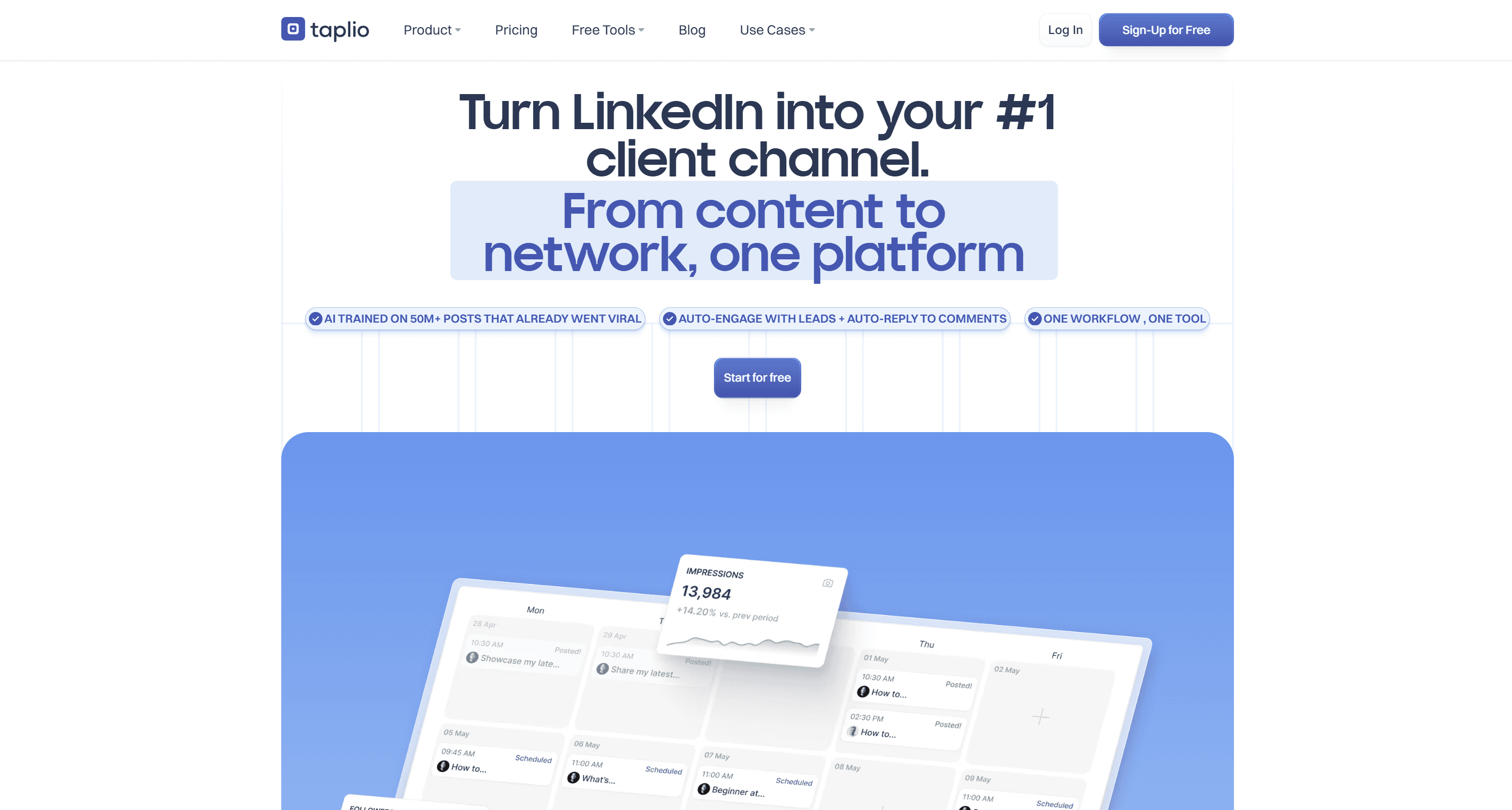
Taplio was built specifically for LinkedIn and combines drafting, carousel creation, scheduling, and analytics in one LinkedIn-native workspace. Its analytics surface which formats, topics, and posting times work for your specific audience rather than platform-wide averages, which is the part general schedulers cannot do. Buffer and Hootsuite handle cross-platform scheduling reliably and are reasonable if LinkedIn is one of several channels, but they are content-agnostic delivery: they publish what you give them, when you say, and do not help you write better posts or hold voice across formats. For a creator treating LinkedIn as a primary channel, a LinkedIn-specialized scheduler earns its cost. VoiceMoat now drafts, schedules, and publishes to LinkedIn natively in your trained voice; a LinkedIn-specialized tool like Taplio still adds visual formats like carousels. Taplio sits at the higher end on price (its AI features start at $69 a month, not the advertised $39), so if you are weighing the tiers, see our full Taplio pricing breakdown. We have applied the same numbers-first treatment to the other major tools: Supergrow, AuthoredUp, MagicPost, and Kleo on the LinkedIn side, plus Buffer and Hootsuite for the broader schedulers.
The most durable systems batch. One short weekly capture-and-ideation session (using VoiceMoat's ideation on seeds you already have, or a prompted general model) generates more ideas than you need; a single 60 to 90 minute drafting session produces five to seven posts; a short scheduling pass queues them; a light review keeps each one current before it goes live. Batching works because it decouples creation from the daily decision of what to post, and that daily micro-decision is the real friction, not the writing. The voice-first version of this routine is in voice-first content batching.
Three LinkedIn workflows that compound your personal brand
Knowing which tools to use is one thing; running the workflow is what turns tools into results. Each of these is repeatable, time-bounded, and built to work together as a system.
Content: from rough idea to published post
Start with capture, not a blank page: a voice memo from your commute, an observation from a client call, a question someone asked that revealed a gap in how people think about your topic. These raw inputs carry authentic energy that brainstormed-from-nothing ideas do not. Feed the seed into VoiceMoat, let audenAI draft it in your voice, read the voice match score, and adjust. Then reach for a hook structure that consistently works for thought leadership:
- Contrarian truth: 'Most LinkedIn advice treats posting like a numbers game. It is not.'
- Milestone plus lesson: 'I posted daily for six months. Here is what actually moved my numbers.'
- Before-and-after pivot: 'I used to write to sound credible. Now I write to start conversations.'
Port the finished post to LinkedIn. Once your system is set up, the full loop runs 20 to 25 minutes; the first week is slower as you calibrate, and by week three it is close to automatic.
- Step 1
Capture a real seed
a voice memo, a client question, an observation worth a post
- Step 2
Draft in your voice
audenAI drafts from your trained profile, not a blank prompt
- Step 3
Check the voice match score
80 percent is the ship-ready floor; below it is refused
- Step 4
Apply a proven hook
contrarian truth, milestone plus lesson, or before-and-after pivot
- Step 5
Port to LinkedIn and schedule
publish manually or queue it in a LinkedIn-native scheduler
Visual: consistent branded graphics without a designer
Set up your Canva brand kit once: logo, a palette of two to three colors maximum, and a headline and body font. Build a base template for each post type you use (carousel, quote graphic, data visualization), each in your brand colors and the correct dimensions: 1200 by 628 px for landscape single images, 1200 by 1200 px for square feed posts, carousel decks exported as PDF. When you make a visual post, open the base template, drop in copy you drafted in VoiceMoat (or generate slide copy with Canva's Magic Write), and export. A carousel this way takes 20 to 30 minutes including copy and layout. Carousels of 7 to 9 slides tend to out-perform single images for saves and shares in the thought-leadership category, which makes them worth the extra production time every week or two.
| Format | Spec | Why it matters |
|---|---|---|
| Text post length | About 800 to 1,500 characters | Long enough for substance, short enough to hold attention; use line breaks for readability |
| Landscape image | 1200 by 628 px | The default single-image feed post |
| Square image | 1200 by 1200 px | Takes more vertical space on mobile, where most of the feed is read |
| Carousel (PDF) | 1200 by 1200 px, 7 to 9 slides | Consistently earns the most saves and shares for thought-leadership content |
Scheduling: a pipeline that runs itself
Every two weeks, run a 90 minute batching session that produces eight to ten posts, enough for two to three weeks at a three-posts-a-week cadence. Schedule into the windows your own analytics show work best (the commonly cited LinkedIn sweet spot is mid-morning Tuesday through Thursday, but treat that as a starting hypothesis to test against your audience, not a law). Mix evergreen posts that hold value indefinitely with timely posts tied to current events or something you observed that week. After four weeks, pull your analytics, see which posts drove profile visits, saves, and substantive comments, and feed that back into the next session. That review habit is what turns a content system into a learning system.
How to build the right AI stack for your LinkedIn goal
Not every creator needs the same combination, and the most expensive stack is rarely the right one. Your goal, stage, and available time shape what makes sense. The minimal stack for someone just starting out is three tools:
- VoiceMoat for voice-trained drafting, so what you publish actually reads like you as you build the habit. Free to start.
- Canva for visuals, via the brand kit and a couple of base templates.
- LinkedIn's native scheduler for publishing, at no added cost.
It supports three posts a week and gives you enough data to learn what works before investing further. It is lean on purpose: the goal in the first 30 days is the habit, not optimizing every variable.
| Tool | Job | Starting price | LinkedIn-native? | Trains on your writing? |
|---|---|---|---|---|
| VoiceMoat (ours) | Voice-trained writing | Free, then $35 / $69 / $150 | Live (Twitter and LinkedIn) | Yes |
| ChatGPT | Drafting and ideation | About $20/mo | No (draft and paste) | No |
| Claude | Polished drafting | About $20/mo | No (draft and paste) | No |
| Jasper | Team brand voice | About $59/mo (Pro) | No | No (a configured profile) |
| Canva | Visuals | Free tier; Pro is paid | N/A (visuals) | N/A |
| Taplio | LinkedIn all-in-one | Paid plan | Yes (native) | No (prompt-level) |
| Growleads / Hooktide | Profile audit | Free first audit | N/A (profile) | N/A |
The fuller stack for serious brand builders spans five to seven tools across writing, visuals, profile, scheduling, and analytics: VoiceMoat as the core voice-trained writer, Canva Pro or Adobe Express for visuals, Taplio for LinkedIn-native scheduling and performance data, Growleads or Hooktide for a quarterly profile audit, and Claude as an occasional partner for long-form pieces that benefit from its polish (with VoiceMoat still the voice for anything that has to read like you). Match it to your use case:
- Executive building a speaking or advisory brand: the voice layer plus a periodic profile audit, to protect the voice equity you have already built.
- Consultant or coach generating leads: consistent voice-trained drafting plus Taplio's analytics plus Canva for the visuals that earn saves.
- Early-stage founder staying visible while running a company: speed and minimal friction, so VoiceMoat plus Canva plus the native scheduler is plenty.
The platform-agnostic version of this roundup (the same logic applied across X, audio, and visuals, not just LinkedIn) is the best AI tools for personal branding in 2026.
Measuring your first month of LinkedIn brand results
The output of month one is not just content, it is data. After 12 to 15 posts you have real signal, and the creators who compound treat month one as a baseline rather than declaring success or failure on follower count. Impressions are a vanity metric: high impressions with low engagement just means you reached people who did not find the post relevant. The metrics that actually signal brand momentum are different:
- Profile views: whether the right people look closer after seeing your content.
- Qualified connection requests: from people who match your target audience, not just anyone.
- Comment depth: substantive replies rather than emoji reactions, the sign your content starts real conversations.
- New-contact DMs: direct messages from people you had not connected with before.
- Follower growth from outside your first-degree network.
Check these weekly, not daily; daily fluctuations create false patterns.
After 30 days you can make real decisions: which formats earned the most saves, which topics drew comments from the right segment, which hooks drove profile visits rather than passive scrolls. Those answers should directly shape the next batch. Taplio surfaces this automatically; with VoiceMoat plus the native scheduler, LinkedIn's own analytics dashboard is enough for a weekly 15 minute review paired with a note on what to change next. Set honest expectations for the first three months: month one builds the system, month two is pattern recognition (you can identify your two or three strongest themes and double down), month three is efficiency and a measurably more consistent voice. The feedback loop between publishing, measuring, and adjusting is where brand growth actually happens. AI speeds the production side; the human decision in the middle is what turns data into a better strategy. The broader division of labor between you and the tools is mapped in the hybrid human-AI writing workflow.
Your voice is the moat
The LinkedIn feed keeps filling with AI content that sounds the same. That is not a reason to avoid AI tools, it is a reason to be precise about which ones you use and why. The creators who stand out use AI to amplify their actual voice rather than replace it, because a tool that learns how you write produces fundamentally different output than one that generates from a generic model, and that difference compounds. Start with a tool that learns how you write: audenAI, the brain inside VoiceMoat, trains on your full profile across the 10 signals of voice and scores every draft for voice match, with native LinkedIn support on the way. Add a visual layer with Canva so your posts are recognizable before anyone reads your name, run the three-part content, visual, and scheduling system so the work runs on a cadence rather than on inspiration, and measure what matters at the end of month one. Personal voice is a compounding asset: the longer you protect it, invest in it, and publish it consistently, the harder it becomes for anyone to replicate what you have built. That is the moat. audenAI suggests. You decide.