ai and voice
How to Make Claude Write in Your Voice for LinkedIn and Twitter
·
22 min read
·
By Prateek Singh, founder of VoiceMoat
Key takeaways
Claude has no default writing voice: out of the box it writes to a competent statistical average, so you have to ground it in samples of your own posts every session or it resets.
Custom Styles store a voice preset per account, Projects store instructions per project, and Skills add reusable capabilities, but none of them apply to every new chat by default, which is why your voice keeps disappearing.
The fastest way to capture your voice is the few-shot method: paste 10 to 15 of your best posts and have Claude extract your hook patterns, sentence cadence, and the words you never use.
Claude drifts past 280 characters and slips into corporate tone because it optimizes for completeness, not constraint, so you must verify length per line and hand it an explicit hard-no list.
VoiceMoat is the Personal Brand OS for LinkedIn and Twitter, whose writing partner, audenAI, learns your voice once from your live posts and keeps it persistent across sessions and both platforms. For transparency: VoiceMoat is our own product.
If you have searched how to make Claude write in your voice, you have already noticed the catch: Claude can copy your tone impressively well for one chat, then the next morning it hands you the same polished, faintly corporate paragraphs it gives everyone else. Claude is a genuinely strong writing model, arguably the most controllable of the big assistants, but it does not arrive knowing you, and it does not keep what it learns. This guide covers the three real levers Claude gives you (Custom Styles, Projects, and Skills), a repeatable method for capturing your voice, honest fixes for the 280-character drift and the corporate LinkedIn register, the Grok and Copilot variants of the same problem, and the one thing every competing tutorial buries: Claude forgets. Once you see why the voice keeps resetting, the fix stops being a better prompt and becomes a place to store the voice itself.
Why does Claude’s writing sound generic?
The statistical-average problem
Every large language model, Claude included, is trained to predict the most probable next token given everything it has read. Averaged across the internet, the most probable phrasing is the safe, middle-of-the-road one. That is exactly why unguided Claude output reads as competent and forgettable at the same time: it is the linguistic center of gravity for millions of writers, not the specific center of gravity for you. Your voice lives in the deviations, the odd sentence length you favor, the joke you always reach for, the transition you overuse. None of that is ‘most probable,’ so the model rounds it off unless you actively pull it back. This is the same root cause we unpack in why your AI tweets sound generic or robotic, and it is not a Claude flaw so much as the physics of how these models work.
Corporate LinkedIn-ese and robotic tweet cadence
On LinkedIn, the average pulls toward what people call broetry: a one-line hook, a wall of single-sentence paragraphs, a manufactured lesson, and a question at the end. Claude has read a decade of that format and treats it as the default shape of a LinkedIn post. On Twitter, the pull is different but just as detectable: even cadence, tidy parallel structure, every tweet the same length, no fragments, no abrupt turns. Real accounts are lumpier. They post a four-word banger, then a rambling thought, then a link with no context. Claude smooths all of that into a metronome. We break the LinkedIn version of this down further in why every AI LinkedIn post sounds the same, and the pattern is the same on both platforms: without your samples, Claude reaches for the format, not the person.
The AI tells: banned phrases and em-dashes
There is also a vocabulary problem. Certain words and constructions cluster heavily in AI output: ‘delve,’ ‘in today’s fast-paced world,’ ‘it’s not just X, it’s Y,’ ‘unlock,’ ‘game-changer,’ and the em-dash used three times a sentence. Readers have learned these tells, and so have AI detectors. Claude will use all of them unless you forbid them explicitly. The deeper issue is that fixing this by hand every session does not scale. You can strip the tells from one draft, but the model does not remember your correction tomorrow. The grounding that removes the generic register (your samples, your banned list, your format rules) has to live somewhere durable, and in a raw Claude setup it lives in a Project or a Style that you maintain by hand rather than in a profile tied to your live accounts. Hold that thought, because it is the whole story. If you just want to clean up a single draft right now, our free humanize AI text tool strips the most common tells in one pass.
Claude Projects, Custom Styles, and Skills: what each one actually does
Claude gives you three distinct features that people constantly mix up. Getting them straight matters, because each one solves a different slice of the voice problem, and none of them solves all of it.
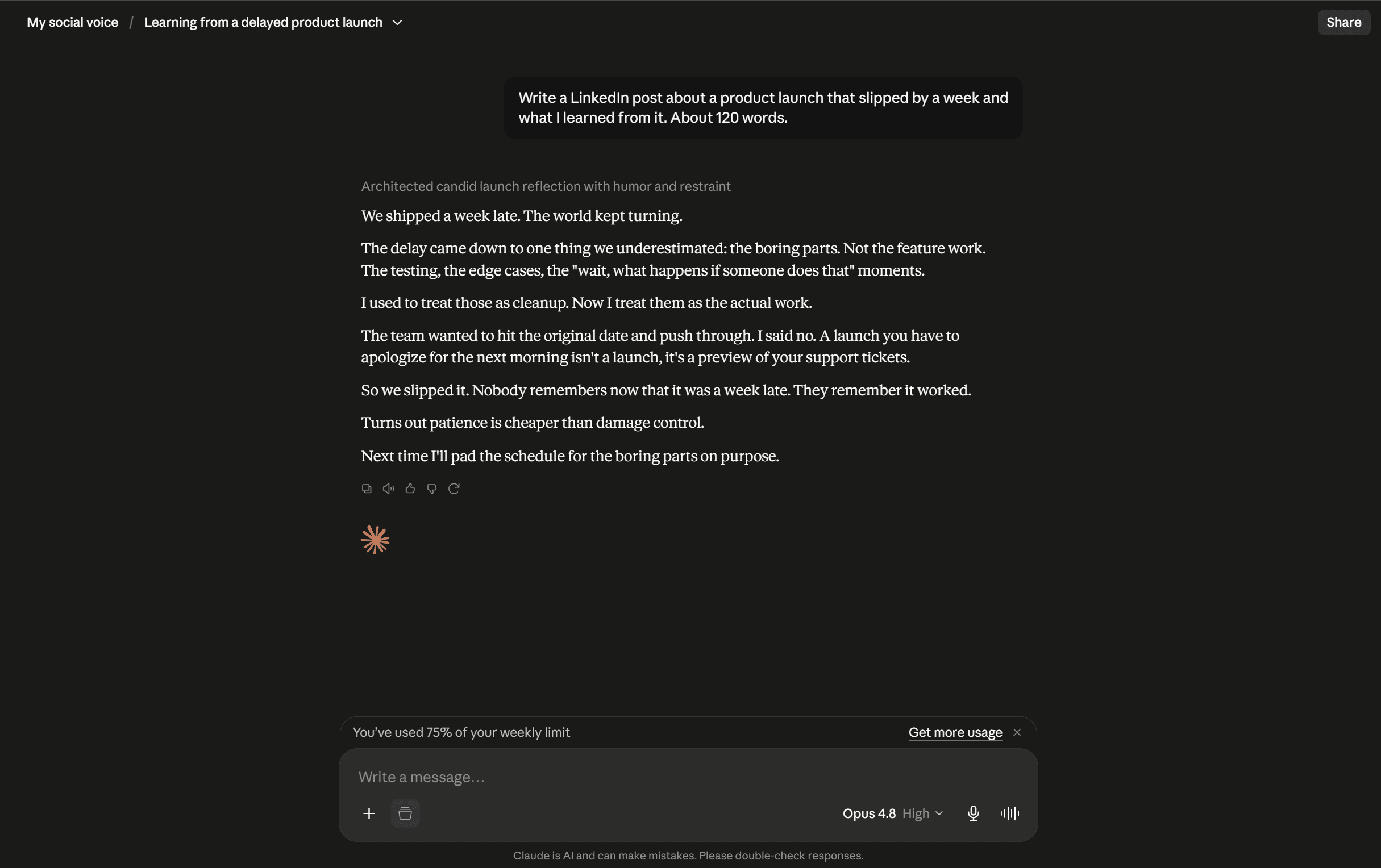
A Claude Project pins your style as context. It holds within the project but does not learn from your edits.
Custom Styles: your per-account voice preset
Custom Styles are the closest thing Claude has to a saved voice. You create a Style once (either by describing your tone or by uploading samples and letting Claude infer it), give it a name, and then select it from a menu in any chat. When active, it shapes how Claude writes for that conversation. This is the right home for ‘write like me’ instructions: your cadence, your vocabulary, your hard-nos. The important limitation is scope. A Custom Style lives on your Claude account, it is not on by default, and it does not travel to a teammate, a second account, or a different model. You choose it manually each time, and if you forget, you are back to the statistical average.
Projects and Project Knowledge: per-project instructions
A Claude Project is a dedicated workspace with two useful parts: custom instructions that apply to every chat inside that project, and Project Knowledge, a small library of files and reference text Claude can draw on. For social content, a ‘LinkedIn content’ project or a ‘Twitter threads’ project is a clean pattern: put your voice rules in the instructions, drop 10 to 15 of your best posts into Project Knowledge, and every new chat in that project starts pre-loaded. This is genuinely powerful and it is where the ‘claude project for LinkedIn content’ searches are pointing. The catch, again, is scope: the instructions apply inside that project only. Start a chat in the main Claude window, or a different project, and the voice is gone. You are maintaining an island.
Skills and MCP connectors: reusable capabilities
Skills are packaged instructions plus optional resources that Claude can invoke on demand, and MCP connectors let Claude reach external tools and data. A ‘Claude skill for LinkedIn posts’ can bundle a format template, a checklist, and your rules into something you trigger by name, which is more portable than copy-pasting a mega-prompt. If you want to build your own, Anthropic documents the format at docs.anthropic.com. But be clear-eyed about what a Skill is: it is a capability, not a memory. A free ‘Claude LinkedIn post generator skill’ someone shares will give you a good template and a good structure. It will not know you, because it was not built on your posts. It still needs your samples to sound like you, and it still does not persist your voice across everything you write.
Here is the practical way to hold the three apart: a Custom Style is a voice preset, a Project is a pre-loaded workspace, and a Skill is a reusable recipe. Styles are the best home for how you sound, Projects are the best home for what you reference, and Skills are the best home for a repeatable task. You will typically use a Style plus a Project together. What you will not get from any of them is a voice that is simply on, everywhere, without you selecting it.
How do you capture your voice for Claude?
Before you save anything, you have to define your voice in a form Claude can use. The most reliable method is few-shot: show, do not tell. Adjectives like ‘punchy’ or ‘authentic’ mean nothing to a model. Ten real posts mean everything. Here is the sequence that works.
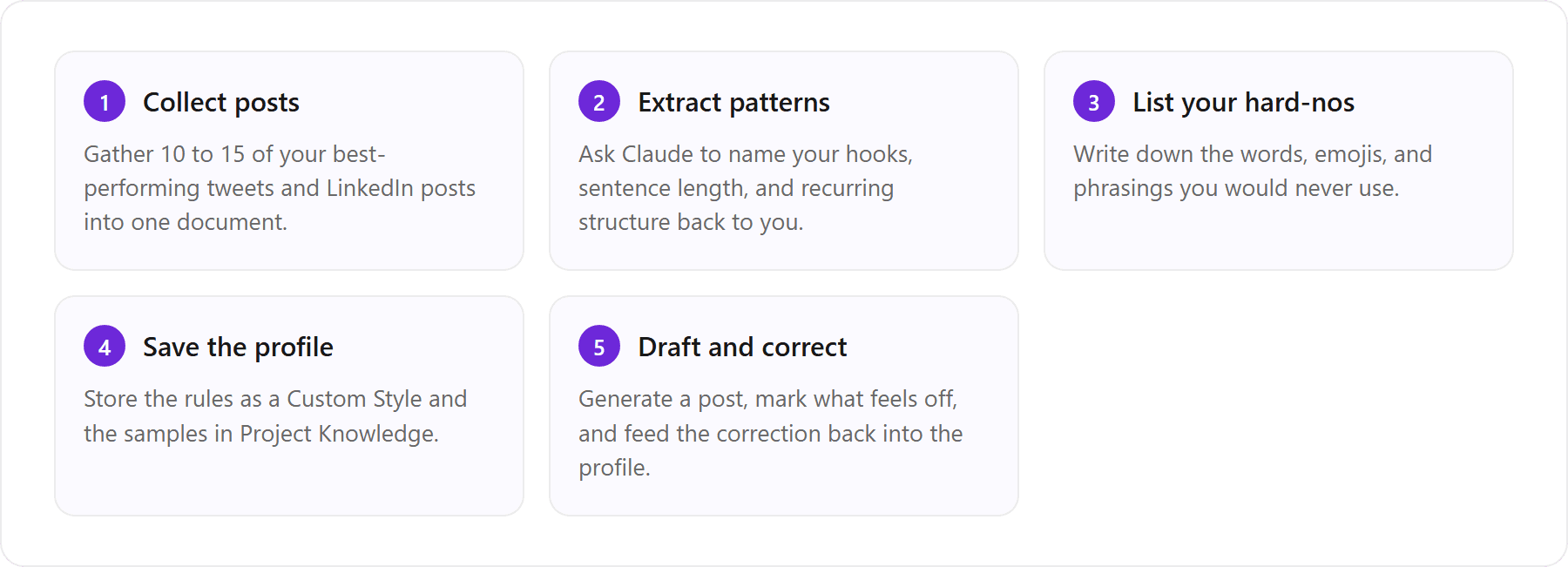
Collect 10 to 15 of your best posts
Pick posts you are proud of and that actually performed, across a few different modes: a hot take, a teaching post, a personal story, a short one-liner. Diversity matters because a model given five identical motivational posts will conclude your voice is ‘motivational post,’ which it is not. Paste the raw text, not screenshots, and keep the formatting intact so Claude can see your line breaks and spacing. This corpus is the single highest-leverage input in the whole process. Everything downstream is only as good as these samples.
Have Claude extract your hook, format, and tone patterns
Do not just dump the posts and say ‘write like this.’ Make Claude analyze them first, out loud, so you can check and correct its read of you. This turns a vague vibe into an explicit, editable spec you can save.
Prompt to paste into Claude: ‘Here are 12 of my posts. Do not write anything yet. Analyze them and give me a written voice profile covering: (1) my three most common hook styles with an example of each, (2) typical sentence and paragraph length, (3) recurring structural patterns, (4) vocabulary and phrases I reach for, (5) my level of formality, and (6) anything you notice that a generic AI would get wrong about me. Be specific and quote my own lines back to me.’
The interview method: define what you reject, not just what you like
Voice is defined as much by what you refuse as by what you do. This is the step most people skip. Ask Claude to write three versions of a post, then tell it precisely why each one is wrong: ‘too eager,’ ‘that is a phrase I would never say,’ ‘you added a lesson I did not mean.’ Your rejections are diagnostic gold, because they surface the boundaries your samples alone do not show. Feed those corrections back into the voice profile as explicit rules. Two or three rounds of this and the profile gets noticeably sharper. It is the same reason we recommend reacting to drafts rather than describing tone in how to make AI writing sound human: editing is a clearer signal than adjectives.
Build your banned-words and hard-no list
Turn the tells into an explicit blocklist and keep it in your profile. A good starting list: no em-dashes, no ‘delve,’ ‘unlock,’ ‘game-changer,’ ‘in today’s landscape,’ or ‘it’s not just X, it’s Y’; no rhetorical question as the closing line unless you actually ask questions; no more than one emoji, or zero if that is your style; no hashtags stuffed at the end. Add your personal tells as you spot them. If you want a fast read on whether a draft still carries AI fingerprints, run it through our free voice tone analyzer and adjust the list from what it flags.
How to set up a reusable Claude voice profile
Save it as a Custom Style
Take the voice profile and the banned-words list you just built and save them as a Custom Style. In the Claude interface, create a new Style, paste the profile as the description, and name it something you will recognize (for example ‘My Twitter voice’ or ‘My LinkedIn voice’). From then on, selecting that Style at the top of a chat loads your rules without re-pasting them. This is the single most useful persistence Claude offers natively. Just remember it is a manual selection, not a default, and it lives on this one account.
Store reference posts in Project Knowledge
Styles carry your rules; Projects carry your examples. Create a Project for each platform, put the Style-style instructions in the custom instructions field, and upload your 10 to 15 samples into Project Knowledge. Now every chat in that project has both the rules and the raw evidence of your voice on hand, which produces noticeably closer drafts than rules alone. Keep the two projects separate, because your Twitter voice and your LinkedIn voice are usually different registers, and blending them gives you posts that fit neither platform.
Claimed voice-match percentages (and why they mislead)
You will see tools and prompts advertise a ‘92% voice match’ or similar. Treat those numbers as marketing, not measurement. There is no agreed standard for scoring how much a paragraph sounds like you, and any single figure hides the thing that matters: consistency over time and across topics. A setup can nail your voice on a familiar subject and lose it completely the moment you write about something new, and a percentage on a landing page will never tell you that. The honest metric is not how close one draft gets, it is whether the voice holds on the tenth post, next week, on a topic you have never written about. That is a much harder bar, and it is the one that actually predicts whether people can tell it is you.
[ from the team behind this blog ]
Post on LinkedIn and Twitter in a way that reads like you
VoiceMoat is the Personal Brand OS for LinkedIn and Twitter. audenAI, the brain inside it, learns from your own posts, then helps you create, schedule and grow.
Creator plan $35 a month after the trial. Cancel anytime.
How do you write a Twitter thread with Claude?
Hook, value, and CTA structure
With your Style active and your samples loaded, threads are Claude’s strong suit, as long as you give it the architecture. A workable structure: tweet one is the hook and it does one job, stop the scroll and promise a payoff; the middle tweets each deliver one idea, one per tweet, no cramming; the final tweet lands the takeaway and, if you want, a light call to action. Ask Claude for the thread as a numbered list so you can see the boundaries, and tell it the hook must earn the click without clickbait. For the tweet-specific version of this with more prompt patterns, see how to make ChatGPT write tweets in your voice; the structural advice transfers cleanly to Claude, and Claude often holds a consistent voice across a long thread slightly better.
Fixing when Claude keeps writing tweets over 280 characters
This is the most common complaint, and it is real: Claude routinely hands you tweets that run to 320, 340 characters. The reason is that Claude optimizes for completeness and clarity, not for a hard cap, and it counts loosely. Its internal sense of length is approximate, so ‘keep it under 280’ is a suggestion it frequently misses by a sentence. There are two things happening. First, the model is not literally counting characters as it writes; it is estimating. Second, emoji, links, and some punctuation do not cost what you think. On Twitter, many emoji count as two characters, and a shortened link counts as a fixed length regardless of the URL. So a tweet Claude thinks is 275 can be 295 once the platform tallies it.
The fix is to stop trusting the model’s count and force verification. Add this to your instructions: ‘After writing each tweet, print its exact character count in brackets at the end of the line, count emoji as two characters and any link as 23 characters, and rewrite any tweet over 280 before showing me the thread.’ Making Claude show the count per line does two things: it catches the overflow, and it nudges the model to write tighter in the first place. It is not perfect, so still eyeball the final numbers, but it turns a constant annoyance into an occasional one. The honest takeaway is that character limits are a place where a general chatbot will always be slightly unreliable, because the constraint is not native to how it writes.
How do you write LinkedIn posts with Claude?
Native spacing, line breaks, and the first-two-lines hook
LinkedIn rewards a different shape. Only the first two lines show before the ‘see more’ fold, so the hook has to do its work in that window or the post dies uncollapsed. Line breaks and white space are part of the format, not decoration, because dense paragraphs get skipped on a scroll-heavy feed. Tell Claude explicitly: open with a hook that stands alone in the first two lines, use short paragraphs with breathing room between them, and do not bury the point at the bottom. One caution: LinkedIn’s composer handles line breaks in its own way, so paste your draft and confirm the spacing renders the way Claude laid it out before you publish. The most useful LinkedIn instruction you can give is a negative one: do not write broetry unless my own samples are broetry.
How to stop Claude tweets and posts sounding corporate
Corporate drift is Claude’s default failure mode because polite, balanced, hedged prose is the safe average, and Claude is a careful model. Counter it directly. Ask for a point of view, not a summary. Tell it to use contractions, to start sentences with ‘and’ or ‘but’ if you do, to keep fragments, and to cut every qualifier that softens a claim (‘arguably,’ ‘it could be said,’ ‘many would argue’). Ban the manufactured-vulnerability opening (‘I failed. Here is what I learned.’) unless it is genuinely your story. And give it stakes: a real opinion, a specific number, a named example. The corporate register survives on vagueness, so the antidote is specificity. If your drafts still read stiff after this, the walkthrough in how to make AI writing sound human has a longer de-corporatizing checklist you can bolt onto your Style.
Grok, Copilot, and the model-hopping trap
Plenty of people do not use one assistant. They draft in Claude, check a take in Grok, and let Copilot handle work writing. Every switch resets the voice, because your setup does not travel. The Style you built in Claude means nothing to Grok. The Project you loaded means nothing to Copilot. You retrain from scratch, model by model, and the profiles slowly drift apart until you are maintaining three slightly different versions of yourself.
How to fix Grok tweets that sound like AI
Grok’s default voice leans punchy and ‘edgy,’ which reads as its own kind of AI tell: forced snark, try-hard one-liners, a smirk in every tweet. The fix is the same few-shot method: paste your real tweets and instruct Grok to match your actual register, not its house style. A workable Grok prompt: ‘Here are 10 of my tweets. Write three new ones on [topic] that match my voice exactly, same length, same tone, no added edginess, no jokes I would not make. Print the character count after each.’ Grok has the advantage of live Twitter context, so it is useful for timely takes, but it has no memory of your voice between sessions, so you paste the samples every time. We compare the default voices of Grok, Copilot, and Gemini in more depth in social posts that don’t sound like AI.
Why Copilot Voice is not writing voice
A quick disambiguation, because the search term ‘how to make Copilot write in my voice’ collides with a naming coincidence. Microsoft Copilot has a spoken feature called Copilot Voice, which is about talking to the assistant out loud. That has nothing to do with your writing voice. To make Copilot write like you, you use the same approach as everywhere else: paste samples, give explicit rules, and correct its drafts. Microsoft documents Copilot’s features at learn.microsoft.com. Copilot inside Microsoft 365 can lean on your documents for context, but that is your content, not a saved model of how you sound, and it does not persist to your social posts.
This is the honest argument for stepping up a level. If your voice setup lives inside each model, then every model switch is a retraining tax, and you pay it forever. A voice layer that sits above the model, holding your profile independently, is what ends the treadmill. That is the category VoiceMoat is built for: it is the Personal Brand OS for LinkedIn and Twitter, whose writing partner, audenAI, keeps one voice profile that does not care which chatbot you happened to open. For transparency, VoiceMoat is our own product, and to avoid a different naming collision: VoiceMoat is the Personal Brand OS for LinkedIn and Twitter, not the Voicemod voice changer, and it sits above whichever model you use.
The problem every method admits: Claude forgets your voice
Styles are per-account, projects per-project, no default
Read any thorough Claude voice tutorial to the end and you find the same quiet confession. Custom Styles are per-account and you have to select them. Projects are per-project and the voice stays inside that workspace. Skills are per-invocation. There is no global ‘this is my voice, use it everywhere’ default in Claude. So your voice is never simply on. It is a thing you carry from room to room and set up again each time. That is fine for occasional writing. For someone posting daily across two platforms, it is a standing tax on every draft, and the moment you forget to load the Style, you ship the statistical average with your name on it.
Voice decay and re-teaching every session
There is a subtler failure than forgetting to load a profile: decay. Even inside a good Project, a long conversation drifts. As the chat fills with your edits, tangents, and Claude’s own prior drafts, the model’s attention spreads and your original samples lose weight. By message forty, the voice is softer than it was at message five. You end up re-teaching mid-session, re-pasting samples, restarting the chat. Your voice, meanwhile, is not static: your best posts from this month are better signal than the ones you saved in March, but a hand-built Style does not update itself. Someone has to notice and refresh it. Usually no one does.
What persistence looks like across sessions, accounts, and platforms
Persistence means one voice profile, learned from your real posts, applied automatically to every draft and reply, on every platform, without you selecting anything. It means the profile updates as your live posts change, so it tracks your voice instead of freezing a snapshot. And it means the same voice on Twitter and on LinkedIn, respecting each platform’s format, rather than two divergent Projects you keep in sync by hand. This is exactly the gap a persistent voice layer fills, and it is the category our own tool, VoiceMoat, was built for. Its writing partner, audenAI, learns your voice once from your real Twitter and LinkedIn posts and holds it, so it does not reset between accounts or sessions the way a Claude Project or Custom Style does.
Claude setup vs a persistent voice layer
To be fair to Claude: Projects, Styles, and Skills are powerful, free to cheap, and under your full control, and if you write occasionally they are all you need. The trade-off is that the setup is fragmented and manual, it drifts on the 280-character constraint and the corporate register, and it does not know your live posts. A persistent voice layer trades some of that control for durability: it trains once from your real Twitter and LinkedIn voice, enforces each platform’s format natively, and adds scheduling and analytics on top, at the cost of being a paid product rather than a prompt you own. The table below lays the options side by side. Note that VoiceMoat is our own product, so this is a first-party recommendation, not an independent review. If you are still choosing between the two assistants for longer pieces, our Claude vs ChatGPT for writing comparison covers plans, prices and which fits each job.
How the major assistants and a persistent voice layer compare on keeping your writing voice consistent.
Capability | ChatGPT | Claude | Grok | Copilot | VoiceMoat (audenAI) |
|---|---|---|---|---|---|
Remembers your voice by default | Partial (memory) | No, select a Style | No | No | Yes, always on |
Per-account voice preset | Custom instructions | Custom Styles | None | None | Yes, per account |
Enforces 280-character tweets | Drifts | Drifts | Drifts | Drifts | Yes, native |
Native LinkedIn formatting | Manual | Manual | Manual | Manual | Yes, native |
Learns from your live posts | No | No | No | No | Yes |
Same voice across both platforms | Manual | Manual | Twitter-leaning | Manual | Yes |
The pattern in that table is the point: every general assistant needs you to reload the voice and reconstruct the constraints, while a persistent layer holds them for you. If you want a fuller head-to-head on the general-assistant side of this, Claude vs ChatGPT for writing social posts compares the two on voice control and format, and VoiceMoat vs ChatGPT walks through the persistence argument in detail.
How VoiceMoat keeps your voice without retraining a chatbot
VoiceMoat is the Personal Brand OS for LinkedIn and Twitter. Because its writing partner, audenAI, learns from your live posts on both platforms, it drafts in your voice and respects each platform’s format (the 280-character tweet, the longer LinkedIn post) without you re-teaching it every session. audenAI is the brain inside VoiceMoat, an AI writing partner trained on your own Twitter and LinkedIn posts. It models your writing patterns per platform and keeps that voice profile persistent, so unlike a Claude Project or Custom Style, it does not forget between accounts or sessions.
Mechanically, the difference is that the voice lives in a durable profile, not in a chat you have to set up. audenAI learns your posts once, then applies that voice everywhere it works: drafting in Studio, writing replies in Engage, scheduling posts, and reading your Analytics, across both Twitter and LinkedIn. You do not select a Style, you do not re-paste samples, and you do not maintain a separate island per platform. When your posting changes, the profile tracks it. And because VoiceMoat sits above whichever model does the writing, switching tools does not reset you. One more disambiguation, since this article names Claude, Grok, and Copilot: VoiceMoat is the Personal Brand OS for LinkedIn and Twitter, not the Voicemod voice changer. You can see how the drafting in your voice works on the Studio page, which learns your live Twitter and LinkedIn voice once and drafts in it.
Done retraining a chatbot every session and every platform? See how VoiceMoat learns your Twitter and LinkedIn voice once and keeps it, in Studio. Try it for $1 for 3 days; plans from $35 a month.
Frequently asked questions
Does Claude remember my Twitter writing style?
Not on its own and not by default. Claude can hold your style within a single chat, and a Custom Style or a Project keeps your rules and samples in one place so you can reuse them. But Styles are per-account and must be selected, Projects only apply inside that project, and there is no global default that turns your voice on everywhere. Start a fresh chat without loading your Style and Claude reverts to its generic average. Persistence has to come from a durable profile, which is what a dedicated voice layer provides.
How do I train Claude to write tweets in my voice?
Use the few-shot method. Paste 10 to 15 of your best real tweets, ask Claude to analyze and name your hook styles, cadence, and vocabulary before it writes anything, then correct its read of you. Save the resulting profile as a Custom Style and drop the samples into Project Knowledge so you do not re-paste them each time. Add an explicit banned-words list and tell Claude to print the character count after each tweet so it stays under 280. Two or three rounds of correction sharpen it considerably.
Is there a free Claude LinkedIn post generator skill?
You can find and build free Skills that bundle a LinkedIn format template, a checklist, and post structure, and Anthropic documents how Skills work. But a shared Skill gives you a good template, not your voice, because it was not built on your posts. It will still write generic LinkedIn-ese unless you feed it your own samples and rules, and it will not persist your voice across other chats. A Skill is a reusable recipe, not a memory of how you sound.
How do I stop Claude writing LinkedIn posts like AI?
Give Claude your real samples, an explicit banned-words list (no em-dashes, no 'delve,' 'unlock,' 'game-changer,' no manufactured-lesson openings), and a clear negative instruction: do not write broetry unless my own posts are broetry. Ask for a point of view with a specific example or number rather than a balanced summary, tell it to use contractions and keep fragments, and cut hedging qualifiers. Corporate tone survives on vagueness, so the fix is specificity plus a hard-no list you enforce every time.
Can Grok write tweets in my style?
Yes, with the same few-shot approach: paste your real tweets and instruct Grok to match your exact register with no added edginess, since its default voice leans forced and snarky. Grok is useful for timely takes because it has live Twitter context, but it has no memory of your voice between sessions, so you paste your samples every time. Like Claude and Copilot, your voice setup does not travel to it, which is the model-hopping tax a persistent voice layer is designed to remove.
Is there a tool that keeps my voice consistent across Claude, Grok, and other assistants without setting it up each time?
That is what a persistent voice layer does, and it is the category our own tool, VoiceMoat, is built for. Rather than rebuilding a Project or Style every time you switch models or accounts, VoiceMoat's writing partner, audenAI, learns your voice once from your real Twitter and LinkedIn posts and applies it to every draft and reply while respecting each platform's format, then adds scheduling and analytics. Try it for $1 for 3 days; plans from $35 a month. (VoiceMoat is the Personal Brand OS for LinkedIn and Twitter, not the Voicemod voice changer.)
AI disclosure
This article was written with AI assistance and reviewed by Prateek Singh. It names third-party assistants (Claude by Anthropic, ChatGPT by OpenAI, Grok by xAI, and Copilot by Microsoft) for comparison and does not claim any affiliation with them. For transparency, VoiceMoat and its audenAI writing partner are our own product, so the recommendation of VoiceMoat is a first-party one rather than an independent review. Feature descriptions and pricing ($1 for a 3-day trial, plans from $35 a month) follow docs.voicemoat.com as of October 2026.
Keep reading

AI and Voice
Every social MCP connector reaches both platforms. That is not the hard part
We were going to write that connecting one assistant to both Twitter and LinkedIn was rare. It is not. More than twenty connectors do it and several are free, so channel coverage is table stakes and every roundup ranking them by it is measuring the wrong thing. Here is what actually differs between them, and the one thing we read enumerated tool lists for six of them to confirm nobody does at all.
11 min read
·

AI and Voice
Why your Claude writing skill doesn't sound like you
There are dozens of free Claude skills for writing, and almost all of them do the same thing: strip out phrases that read as machine-written. That is subtraction, and it leaves you sounding like nobody in particular rather than like yourself. The handful that actually learn a voice from your own writing have a fraction of the users. Here is the difference, why a skill cannot post anything no matter what it says, and where the file actually goes on every surface.
13 min read
·

AI and Voice
Hootsuite alternatives in 2026, priced from the vendors' own pages
Hootsuite starts at $99 per user a month, not $19. Here is what the realistic alternatives cost, read off each vendor's own pricing page in both billing positions, plus the clause in Hootsuite's terms that its pricing page does not mention.
10 min read
·

AI and Voice
Taplio alternatives in 2026, priced from the vendors' own pages
Four LinkedIn tools people move to from Taplio, priced from each vendor's own pricing page rather than from each other. Includes the arithmetic on Taplio's Pro tier, which does not add up, and one name still on every recommendation list that has quietly shut down.
11 min read
·

AI and Voice
How to train AI to write in your voice: the cross-model guide
You can get ChatGPT, Claude or Gemini to write in your voice, but only partly and only for one session, because chat models forget your style between chats. This cross-model guide covers the analyze-then-write prompts that work, the settings that make them stick, the four levels of personalized AI content, a reusable instruction block for tweets, and the persistent alternative for anyone who posts regularly.
16 min read
·
From the Twitter algorithm series
The Twitter/X algorithm in May 2026: why voice wins under the new transformer
Read ›

