[
audenAI: the assistant inside VoiceMoat
]
It already knows your account.
So stop explaining it.
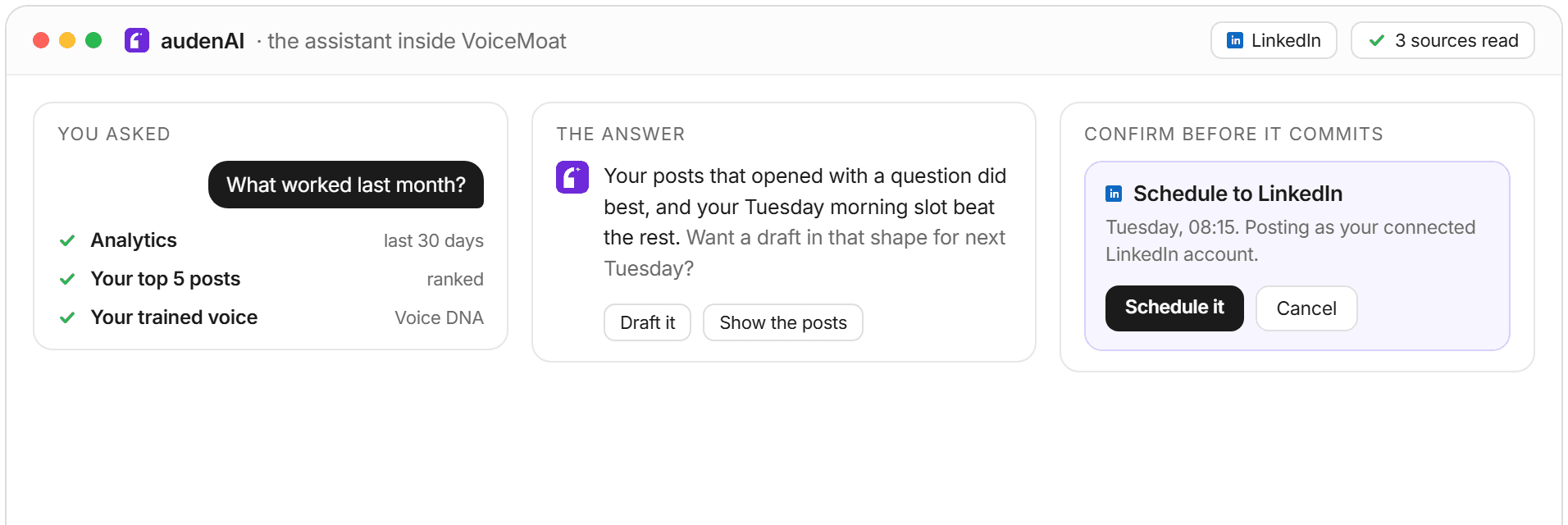
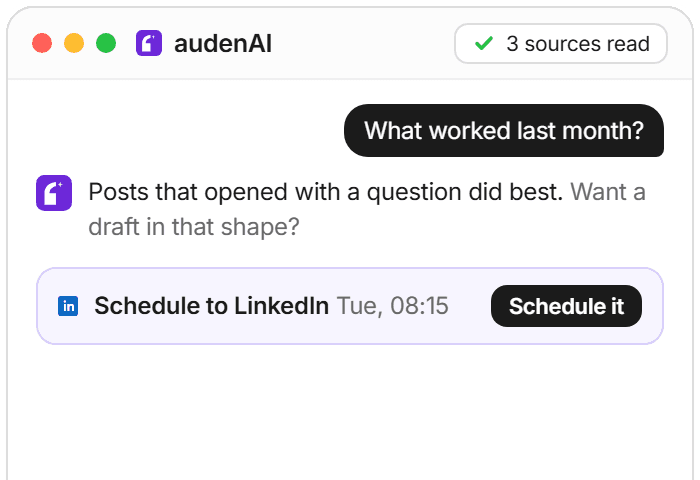
A generic assistant starts from nothing. audenAI starts from your posts, your numbers, your voice profile and what you told it last week. Ask it a question and it goes and looks.
[
audenAI: the assistant inside VoiceMoat
]
It already knows your account.
So stop explaining it.
A generic assistant starts from nothing. audenAI starts from your posts, your numbers, your voice profile and what you told it last week. Ask it a question and it goes and looks.
[
audenAI: the assistant inside VoiceMoat
]
It already knows your account.
So stop explaining it.
A generic assistant starts from nothing. audenAI starts from your posts, your numbers, your voice profile and what you told it last week. Ask it a question and it goes and looks.
[
how it works
]
Ask in English.
It does the looking.
No prompt to memorize and no menu to dig through. audenAI is the same brain that powers Studio, reached by just asking.
[
inside audenAI
]
It looks before it answers.
It asks before it acts.
It looks before it answers.
It asks before it acts.
audenAI works from your real posts and numbers, remembers what you tell it,
and stops for your OK before anything on your account changes.
audenAI works from your real posts and numbers, remembers what you tell it, and stops for your OK before anything on your account changes.
Grounded
It answers with your numbers, not a guess.
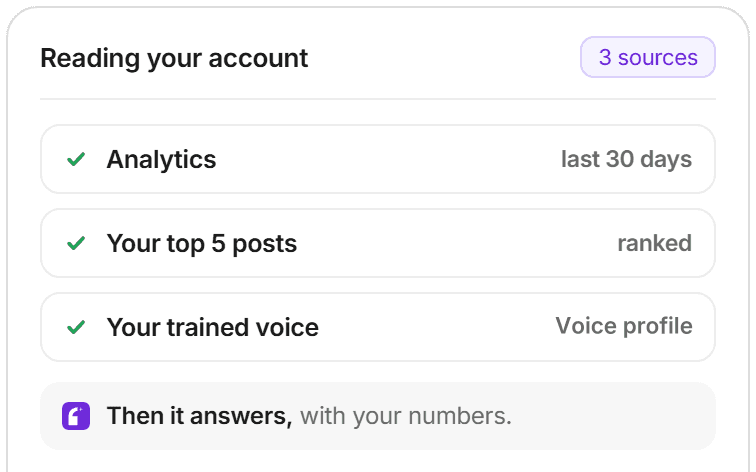
Ask which hook worked and it reads your real post history instead of inventing a plausible answer. It can even find the post you half remember.
Your numbers, top posts, queue and drafts
Searches everything you have ever posted
Names its feeling, asks for the real detail
Reading your account
Confirm before it commits
Asks first
Fifteen things it will not do on its own word.
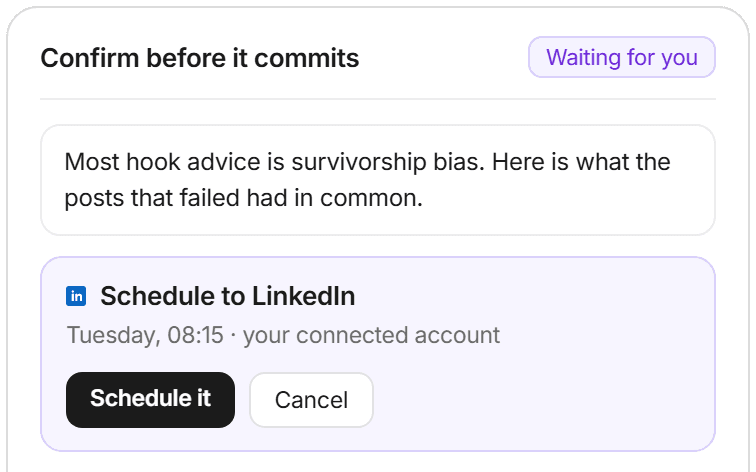
Reading is instant. Anything that changes your account stops and shows you the exact text, account and time first: posting, scheduling, drafts, voice rules and memory.
A confirm card on every account change
Shows the real text, not a summary of it
Posting waits for your tap on Post
Remembers
You should not have to say it twice.
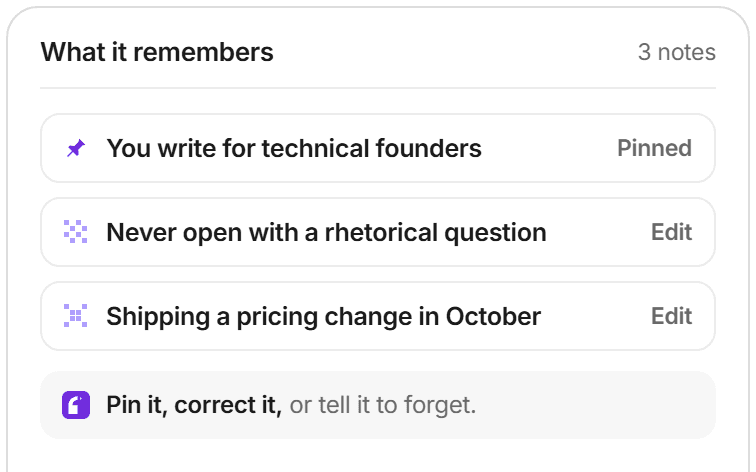
What you tell it in one chat is there in the next. It picks up what lasts on its own, and you can see the list, pin what matters, correct it or delete it.
Learns from your chats without being asked
Pin, correct or delete anything it remembers
Works on both Twitter and LinkedIn
What it remembers
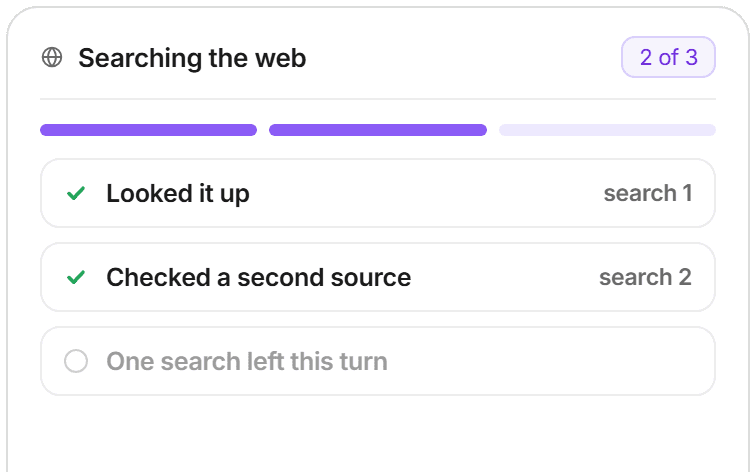
Searching, 2 of 3
Reaches out
It can go and look things up, within a limit.
When the answer is not in your account, it can search the web. Capped at three searches a turn, so one vague question cannot run up your bill.
Web search on Creator, Pro and Enterprise
Three searches a turn, a hard ceiling
Makes memes, cards and graphics from a post
Grounded
It answers with your numbers, not a guess.
Ask which hook worked and it reads your real post history instead of inventing a plausible answer. It can even find the post you half remember.
Your numbers, top posts, queue and drafts
Searches everything you have ever posted
Names its feeling, asks for the real detail
Reading your account
Confirm before it commits
Asks first
Fifteen things it will not do on its own word.
Reading is instant. Anything that changes your account stops and shows you the exact text, account and time first: posting, scheduling, drafts, voice rules and memory.
A confirm card on every account change
Shows the real text, not a summary of it
Posting waits for your tap on Post
Remembers
You should not have to say it twice.
What you tell it in one chat is there in the next. It picks up what lasts on its own, and you can see the list, pin what matters, correct it or delete it.
Learns from your chats without being asked
Pin, correct or delete anything it remembers
Works on both Twitter and LinkedIn
What it remembers
Searching, 2 of 3
Reaches out
It can go and look things up, within a limit.
When the answer is not in your account, it can search the web. Capped at three searches a turn, so one vague question cannot run up your bill.
Web search on Creator, Pro and Enterprise
Three searches a turn, a hard ceiling
Makes memes, cards and graphics from a post
Grounded
It answers with your numbers, not a guess.
Ask which hook worked and it reads your real post history instead of inventing a plausible answer. It can even find the post you half remember.
Your numbers, top posts, queue and drafts
Searches everything you have ever posted
Names its feeling, asks for the real detail
Reading your account
Confirm before it commits
Asks first
Fifteen things it will not do on its own word.
Reading is instant. Anything that changes your account stops and shows you the exact text, account and time first: posting, scheduling, drafts, voice rules and memory.
A confirm card on every account change
Shows the real text, not a summary of it
Posting waits for your tap on Post
Remembers
You should not have to say it twice.
What you tell it in one chat is there in the next. It picks up what lasts on its own, and you can see the list, pin what matters, correct it or delete it.
Learns from your chats without being asked
Pin, correct or delete anything it remembers
Works on both Twitter and LinkedIn
What it remembers
Searching, 2 of 3
Reaches out
It can go and look things up, within a limit.
When the answer is not in your account, it can search the web. Capped at three searches a turn, so one vague question cannot run up your bill.
Web search on Creator, Pro and Enterprise
Three searches a turn, a hard ceiling
Makes memes, cards and graphics from a post
[
a chat box, or an assistant with access
]
A general assistant starts from zero.
audenAI does not.
A general AI chat box
You paste your posts in every single time
It cannot see what you scheduled or what worked
It writes confidently about numbers it invented
audenAI
Already has your posts, your numbers and your voice
Grounded in your real history, and says when it has none
Can act, and asks you first when it matters
audenAI
Already has your posts, your numbers and your voice
Grounded in your real history, and says when it has none
Can act, and asks you first when it matters
audenAI
Already has your posts, your numbers and your voice
Grounded in your real history, and says when it has none
Can act, and asks you first when it matters
[
faq
]
audenAI,
answered.
audenAI,
answered.
Straight answers about what audenAI can and cannot do.
Which plans include it?
Chat is on Creator, Pro and Enterprise, and in the 3-day trial. Free does not have it. On every paid plan the chat runs on audenAI Deep, with the same tools; the trial runs on Standard. Enterprise also uses Deep for one-off writing: Studio drafts, replies and Improve.
Does it post for me?
Can it cancel a scheduled post for me?
Can I paste a link and have it read the page?
Can it search the web on any plan?
Is this the same audenAI that writes my posts?
Can I reach it from Claude or ChatGPT?
Is my writing kept private?
Which plans include it?
Chat is on Creator, Pro and Enterprise, and in the 3-day trial. Free does not have it. On every paid plan the chat runs on audenAI Deep, with the same tools; the trial runs on Standard. Enterprise also uses Deep for one-off writing: Studio drafts, replies and Improve.
Does it post for me?
Can it cancel a scheduled post for me?
Can I paste a link and have it read the page?
Can it search the web on any plan?
Is this the same audenAI that writes my posts?
Can I reach it from Claude or ChatGPT?
Is my writing kept private?
Which plans include it?
Chat is on Creator, Pro and Enterprise, and in the 3-day trial. Free does not have it. On every paid plan the chat runs on audenAI Deep, with the same tools; the trial runs on Standard. Enterprise also uses Deep for one-off writing: Studio drafts, replies and Improve.
Does it post for me?
Can it cancel a scheduled post for me?
Can I paste a link and have it read the page?
Can it search the web on any plan?
Is this the same audenAI that writes my posts?
Can I reach it from Claude or ChatGPT?
Is my writing kept private?

AI and Voice
How to train AI to write in your voice: the cross-model guide
You can get ChatGPT, Claude or Gemini to write in your voice, but only partly and only for one session, because chat models forget your style between chats. This cross-model guide covers the analyze-then-write prompts that work, the settings that make them stick, the four levels of personalized AI content, a reusable instruction block for tweets, and the persistent alternative for anyone who posts regularly.
16 min read
·
·

Craft
Voice match score: why VoiceMoat checks Style and Stance instead
A voice match score measures how closely a draft matches the way you write. VoiceMoat used to show it as one 0 to 100 number; now there are two checks instead: Style, how it looks next to your own posts, and Stance, whether it says what you actually say. Here is why one number was not enough, what each check looks at, and how to read them together.
9 min read
·
·

AI and Voice
What is audenAI? The brain inside VoiceMoat
audenAI is the brain inside VoiceMoat. A creative writing partner trained on their own posts, not a general model. Here's how audenAI learns your voice, what it refuses to write, and where the Standard and Deep tiers fit in.
13 min read
·
·
[
ready to start?
]
Create more.
Stay unmistakably you.
Grow from there.
3-day trial from $1 · Cancel anytime · Your content stays private
[
ready to start?
]
Create more.
Stay unmistakably you.
Grow from there.
3-day trial from $1 · Cancel anytime · Your content stays private
[
ready to start?
]
Create more.
Stay unmistakably you.
Grow from there.
3-day trial from $1 · Cancel anytime · Your content stays private

The personal brand operating system for Twitter/X and LinkedIn.

The personal brand operating system for Twitter/X and LinkedIn.
The personal brand operating system for Twitter/X and LinkedIn.