Key takeaways
Your opening line carries the section. Only the first couple of lines show before "see more", so say who you help and what you do there.
The limit is 2,600 characters, and most people should use far less. LinkedIn's own help suggests one or two paragraphs. Around 120 to 300 words is plenty.
Pick the goal first. A job seeker, a consultant and a creator need different last lines, so the examples below are grouped by goal, then by role.
Use the same words and topics as your headline and posts. People reach your profile from your posts, and the About should feel like the same person wrote them.
First person, specific proof, one ask. Cut "passionate", "results-driven" and "welcome to my profile", which waste the only lines most visitors read.
A good LinkedIn About section (LinkedIn's help still calls it your summary) says, in the first person, who you help, what you do for them, one piece of proof, and what people should contact you about. Put the most useful line first, because only the opening shows before "see more". Keep it to one or two short paragraphs or a few bullets, well under the 2,600-character limit. Below are a six-part framework, fill-in templates and 15 invented, annotated examples grouped by goal and role.
We make VoiceMoat, an AI social media tool for LinkedIn and Twitter, and we cover what it does near the end. Everything here works without it.
In this guide:
What the About section is (once called the summary)
LinkedIn's own advice
What shows before "see more"
Limits and formatting rules
The six-part framework
Fill-in templates
How to write your About section in 30 minutes
Same facts, three voices
Make your About match what you post
15 LinkedIn About section examples, grouped by goal
Before and after: two rewrites
Mistakes to avoid, with fixes
Phrases to cut, and what to say instead
Using AI to draft your About section
How to add or edit your About section
How to tell if your About section is working
Checklist before you save
How VoiceMoat helps
What the About section is (once called the summary)
The About section is the free-text box near the top of your LinkedIn profile, under your photo, name and headline. LinkedIn's help says it "should express your mission, motivation, and skills to people who view your profile." Older guides call it the LinkedIn summary, and so does LinkedIn's own help page, under the heading "Write a summary". The two names mean the same box.
In practice it answers the question a visitor has after reading your headline: is this person worth following, hiring or messaging?
Your headline makes the claim. The About section backs it up. If your headline needs work first, see our LinkedIn headline examples.
Visitors arrive from a post, a comment or a search. They give you a few seconds, mostly on the opening lines.
It is one part of a profile. Photo, headline, Featured, Experience and skills matter too, and our LinkedIn profile optimization guide covers each.
It is different from Experience. Experience lists jobs. The About section explains the thread that runs through them and what you want next.
LinkedIn's own advice
LinkedIn's help page on creating a good profile says to "limit the text to one or two paragraphs". It adds that you can use bullet points if you're not comfortable with paragraphs.
LinkedIn's talent blog lists 14 tips for the section. The ones that matter most:
Explain your present role.
Highlight your successes.
Ask for what you want.
Make your first sentence count.
Use the keywords people search for.
Cut the jargon, and write how you speak.
Leave white space.
Those seven tips are the backbone of everything below. The framework turns them into an order, and the examples show them in use.
What shows before "see more"
The single most important constraint is the cut. Your profile shows the opening of your About section, then a "see more" link. Most visitors never click it.
Question | Answer | Source |
|---|---|---|
How much shows before "see more"? | LinkedIn doesn't publish a number | LinkedIn's help pages give none |
What do guides estimate? | Roughly the first two lines, or about 200 to 220 characters on desktop | AuthoredUp (a vendor) |
And on a phone? | Less than on desktop | AuthoredUp (a vendor) |
Do line breaks change it? | They can. A short first line followed by a break may show less text, so make that first line complete | Check on your own profile |

The cut is earlier on a phone. LinkedIn publishes no exact number.
What to do about it:
Put the whole point in line one. "I help small accounting firms get paid on time" works even if nothing else loads.
Don't spend the opening on a greeting or a quote. "Hi, I'm Sam, and welcome to my profile" uses the space and says nothing.
Check it on your phone. Open your own profile on the LinkedIn app and see where "see more" falls. That's the version most people see.
Limits and formatting rules
Rule | What to know | Source |
|---|---|---|
Character limit | 2,600 | LinkedIn's talent blog ("2,600 characters max") |
Recommended length | One or two paragraphs | |
Bullets | Allowed. Type them as characters, such as • | LinkedIn help says bullets are fine; the box has no formatting buttons (AuthoredUp, a vendor) |
Line breaks | Work, and help white space | LinkedIn talent blog ("leave white space") |
Bold and italic | No buttons. Styled letters from a formatter work but count as two characters each | Counting from our LinkedIn character counter page |
Top skills | You can pick up to five skills to show in the About section, separate from the text | |
Person | First person reads as you. Third person reads like a press release | LinkedIn talent blog ("write how you speak") |
Emojis | Allowed. One or two as bullets is fine; a row of them reads as noise | Our view |
Older guides still say 2,000 characters. That figure is out of date. To check a draft against the limit, paste it into our free LinkedIn character counter, which checks the About section against 2,600.
A practical target is 120 to 300 words. That's long enough for proof and a next step, and short enough that people finish it. A student or job seeker can go shorter. A consultant with a clear method can go longer, as long as each paragraph earns its place.
The six-part framework
Most good About sections, including the ones LinkedIn's talent blog picks out, follow the same order. Here it is as six parts. You rarely need all six.
Hook. One line that says who you help or what you do, in plain words. It must make sense on its own.
Who you help and what you do now. Your current role or work, with one detail that makes it specific: the industry, the client size, the stage.
Proof. One result someone could check. A number, a named outcome, or the kind of client you've worked with.
How you work. Optional. Your method, your stack or your process, in one or two sentences. Useful for consultants, engineers and coaches.
Personality. Optional. One true detail that makes you a person: why you started, an odd career turn, a strong opinion about your field.
Ask. What you want people to do: message you about a role, book a call, read your posts, invite you to speak.

Six parts. You rarely need all six.
Two rules sit across all six:
Specific beats impressive. "Cut onboarding from 14 days to 5" is easier to believe than "proven track record of driving results".
One ask beats three. If you list five ways to contact you, people pick none.
Fill-in templates
Copy one, fill the brackets, then delete any line that doesn't earn its place. The general template works for anyone; the three after it change the last lines to fit a goal.
General template
To get hired
To win clients
To build an audience

Pick the template that matches what you want from LinkedIn.
Line one is the only line most people read. It should still make sense if nothing else loads.
The proof needs to be checkable. A number is best, a named client type is second best.
The topics should match your posts, so readers who like the About get more of the same in the feed. Our guide on how to grow on LinkedIn explains why topic match helps.
The last line tells people what to do. One action is enough.
How to write your About section in 30 minutes
You don't need a free afternoon. You need your facts in one place and a timer.
Pick the goal (2 minutes). Get hired, win clients or build an audience. If you want two, pick the one that pays the bills now.
List your raw material (8 minutes). Your current role, three results you're proud of, the tools or methods you use, the topics you post about, and the one thing you want people to message you about. Bullets, not sentences.
Choose the proof (3 minutes). From your three results, pick the one a stranger would find easiest to believe and most relevant to your goal. Keep the other two for posts or Experience.
Fill the template (7 minutes). Use the template for your goal. Write line one last if it won't come.
Cut (5 minutes). Delete every adjective you can't prove. Delete any sentence that would fit on anyone's profile.
Read it out loud (2 minutes). If you wouldn't say a line to someone at a conference, rewrite it in the words you'd use.
Check the cut (3 minutes). Paste it in, save, open your profile on your phone, and read only what shows before "see more".
Same facts, three voices
Every ranking guide tells you to "show personality". Then they hand you a template, and everyone who uses it ends up with the same About section. The fix is to keep your facts and change how you put them.
Here is one set of invented facts: a product designer, seven years in fintech apps, redesigned a savings app's sign-up so that more people finished it, open to senior roles.
Direct
Product designer. Seven years designing fintech apps, now looking for a senior role.
At Coinpath (invented) I rebuilt the savings app sign-up, and completion went from 41% to 63%. I care about forms people can finish on a bus.
Open to senior product design roles, remote or London. Message me.
Warm
I design money apps for people who are nervous about money.
For seven years I've worked on fintech products, most recently at Coinpath (invented), where I rebuilt our savings sign-up after watching users give up halfway. Far more of them finish it now: 63%, up from 41%.
I'm looking for my next senior design role, remote or in London. If your team builds for real people with real worries, I'd love to talk.
Data-led
Product designer, 7 years in fintech. Sign-up completion 41% → 63% on the Coinpath (invented) savings app.
I work from research to shipped screens: interviews, prototypes, then A/B tests with the engineering team.
Next: a senior product design role, remote or London.

Same facts. Three different people.
All three are true and all three work. The right one is the one that matches how you already post and talk. If your posts are short and blunt, the warm version will feel like someone else wrote it. That's the voice gap, and it's the reason a borrowed template rarely fits.
Make your About match what you post
No ranking guide makes this link, but it's how most people meet your About section. Someone reads your post in the feed, clicks your name, and lands on your profile. If the About is formal and your posts are casual, or the About is about pricing and your posts are about hiring, the visitor feels a gap and leaves.
Same topics. List the two or three topics you actually post about, using the same words you use in posts. If you post about "cold email" don't call it "outbound prospecting strategy" in the About.
Same person. If your posts open with a short blunt line, open the About the same way. If they tell stories, let the About start with one.
Same promise. Your headline, your About and your last ten posts should agree on who you help. Our LinkedIn content strategy guide shows how to pick those topics.
Update both together. When your posts change direction, rewrite the topics line in the About the same week.

Post readers land on your profile. Give them the same person.
A quick test: read your About, then read your last five posts. Would a stranger believe the same person wrote both? If not, change the About to match the posts you plan to keep writing.
15 LinkedIn About section examples, grouped by goal
All 15 examples are invented for this guide. The people, companies and numbers are made up. Change every detail to your own before you use one. Each example has an annotation that labels the four parts that matter most: hook, proof, personality and ask.
Goal: get hired
#### 1. Student
Final-year economics student at a UK university, looking for a graduate role in market research from September.
I run the student investment society's weekly newsletter, which grew from 40 to 600 readers in a year. My dissertation looks at how price rises change grocery shopping habits, using survey data from 1,200 households.
Skills: survey design, R, Excel, writing for non-experts.
I'd love to hear from researchers about how they got started.
Hook: the degree, the stage and the target role in one line.
Proof: newsletter growth and a dissertation with a real data set.
Personality: the dissertation topic shows what they find interesting.
Ask: a low-pressure request for advice, which people answer more often than "hire me".
Why it works: with little work history, it uses a project, a society role and a dissertation as proof. That's what students have, so use it.

Students have proof too. It just comes from projects and societies.
#### 2. Recent graduate
Computer science graduate (2026) looking for a junior backend role.
In my final year I built a booking system for my university's climbing club. It now takes 300 bookings a week, and I still fix its bugs. During a summer internship at Greyfield Data (invented) I wrote tests for a billing service and cut its build time by a third.
Stack: Python, Django, Postgres, Docker, GitHub Actions.
I'm based in Leeds and happy to work remotely. If you're hiring juniors, I'd be glad to show you the code.
Hook: degree, year and target role.
Proof: a real project with users, plus one internship result.
Personality: "I still fix its bugs".
Ask: an offer to show the code, which is the strongest proof a junior has.
Why it works: it treats a side project like a job, because to a hiring manager it is one.
#### 3. Mid-career job seeker
Operations analyst with four years in e-commerce logistics, looking for my next role in supply chain planning.
At Brightcart (invented) I built the weekly forecast the warehouse team now runs on, which cut stock-outs by a third. Before that I handled returns data for a fashion retailer.
Tools: SQL, Excel, Python for forecasting, Looker.
I'm open to planning or analyst roles, remote or in Manchester. Recruiters and hiring managers, my inbox is open.
Hook: current role, years, field and the target role.
Proof: a forecast the team relies on, with a result.
Personality: light; the job seeker version doesn't need much.
Ask: direct, with location.
Why it works: the target role is in line one, the tools are listed as recruiters search them, and the ask is direct.
#### 4. Career switcher
Former secondary school teacher, now moving into learning design for software companies.
For eight years I planned lessons for 30 teenagers at a time, which is user research with a tougher audience. This year I finished a learning design course and rebuilt the onboarding guide for Fernway (invented), a local software firm, as a volunteer project. Their support tickets from new users dropped by a quarter.
What I bring: course design, explaining hard ideas simply, Articulate Rise, Loom, and a lot of patience.
Looking for junior or mid-level learning design roles. Happy to share the Fernway project.
Hook: the old role, the new direction, the new field.
Proof: a volunteer project with a result in the new field.
Personality: the teenager line, which turns the old job into a strength.
Ask: the role level and an offer to share work.
Why it works: it names the switch in line one instead of hiding it, then translates old skills into the new field's words.
#### 5. Software engineer
Backend engineer focused on payments and the boring reliability work that keeps them running.
Six years in Go and Postgres, currently at Paylane (invented), where I led the move to a new ledger with zero downtime. I write the runbooks people actually open at 3am.
Stack: Go, Postgres, Kafka, Kubernetes, AWS.
I post about incident reviews, database migrations and growing as a senior engineer.
Not looking right now, but always glad to talk payments infrastructure.
Hook: the specialism in plain words.
Proof: a zero-downtime ledger migration.
Personality: "the runbooks people actually open at 3am".
Ask: honest about not looking, open to the right conversation.
Why it works: the stack is searchable, the proof is a believable project, and it says plainly whether the person is looking.
#### 6. Returning after a career break
Finance manager returning to work after two years at home with my children, looking for a part-time or flexible finance role.
Before my break I spent nine years in finance at Holloway Foods (invented), the last three running month-end close for a team of six. We cut close from ten days to five.
During the break I kept my skills current with an advanced Excel course and did the books for my children's school charity.
Open to finance manager or senior accountant roles, three or four days a week, in or near Bristol.
Hook: the role, the break and the target, stated plainly.
Proof: a team size and a result from before the break.
Personality: the school charity books.
Ask: precise days and location, which saves everyone time.
Why it works: it explains the gap in one sentence and moves on. Recruiters care more about what you can do now than about the gap.
Goal: win clients or leads
#### 7. Founder
I help small accounting firms get paid on time without chasing clients by email.
I'm the founder of Ledgerline (invented), a billing tool for firms with 2 to 20 staff. We started after I spent a year as an office manager sending the same reminder emails every Friday.
Today about a hundred firms use it, and the average invoice gets paid nine days sooner.
I post about cash flow for small firms, building a bootstrapped company, and what our customers teach us.
If you run a firm and late payments are eating your week, send me a message.
Hook: the customer and the problem, not the company name.
Proof: customer count and a time saved.
Personality: the Friday reminder emails origin story, in one sentence.
Ask: speaks to one reader with one problem.
Why it works: the problem is in line one, the origin story is one sentence, and the proof is a number. For more on founder profiles and posts, see our guide to personal branding for founders.

Problem first, story in one sentence, proof as a number.
#### 8. Consultant
I help B2B software companies fix pricing that leaves money on the table.
For eight years I've run pricing projects for companies between $2M and $40M in revenue. Most engagements take six weeks: interviews, a pricing test, then a new page.
One recent client (invented) raised average deal size by 22% without losing win rate.
I post about packaging, discounting and how buyers really compare prices.
Open to two new projects a quarter. Message me with your current pricing page.
Hook: client type and the problem.
Proof: a percentage result for one client.
Personality: the capacity limit shows they turn work down.
Ask: tells the reader exactly what to send.
Why it works: it names the client size, the process and a limit on capacity, which reads as real.
#### 9. Freelancer
Freelance copywriter for B2B software websites. I turn feature lists into pages people read to the end.
Since going freelance in 2022 I've written homepages and product pages for 30-odd software companies, from seed-stage startups to a 400-person HR platform. Most clients come back for the next launch.
How I work: a 45-minute call, one draft in a week, two rounds of edits. No retainers unless you want one.
Booking for January. Send me the page you're least happy with.
Hook: the niche and the outcome.
Proof: volume, client range and repeat work.
Personality: "No retainers unless you want one".
Ask: availability plus a specific thing to send.
Why it works: the "how I work" line answers the buyer's next question before they ask it.
#### 10. Coach
I coach first-time engineering managers through their first year in the role.
I managed teams at two startups and one large bank, and made most of the mistakes you're worried about. Now I run six-month programs with one call every two weeks.
What changes for clients: fewer surprise resignations, calmer one-to-ones, and a plan for the next promotion.
I post about feedback, delegation and saying no to your own boss.
Free 20-minute intro calls: link in Featured.
Hook: one audience at one stage.
Proof: the coach's own management history.
Personality: "made most of the mistakes you're worried about".
Ask: a free call, pointing to Featured for the link.
Why it works: one audience, one stage, and the outcome in the client's words rather than "transformation".
#### 11. Salesperson
I help finance teams at mid-sized manufacturers replace spreadsheet budgeting with a tool they'll actually use.
I've been an account executive at Tallyform (invented) for three years, working with companies from 200 to 2,000 staff. I care more about a smooth rollout than a fast signature.
Last year 90% of my customers renewed.
I post about budgeting season, finance team workloads and buying software without regret.
If your team still budgets in 40 linked spreadsheets, I'm happy to compare notes, no demo required.
Hook: buyer's problem, not "AE at Tallyform".
Proof: renewal rate, which buyers trust more than quota.
Personality: "a smooth rollout than a fast signature".
Ask: low pressure, "no demo required".
Why it works: buyers read it, so it speaks to the buyer's problem, and the last line lowers the pressure.
Goal: build an audience or reputation
#### 12. Creator
I post three times a week about running a small bakery business, from pricing a sourdough loaf to hiring your first baker.
I've run Crumb & Co (invented) for nine years. We went from one market stall to two shops and a wholesale round, and I've made every costly mistake on the way.
If you run a food business, or want to, follow along. I share the real numbers: costs, margins and what didn't work.
For talks or workshops, email me at the address in Contact info.
Hook: what the posts are about and how often.
Proof: nine years and a growth path.
Personality: "every costly mistake on the way".
Ask: follow, with a separate route for paid work.
Why it works: a creator's About is a promise about future posts, so line one describes the posts, not the person.
#### 13. Marketer
I run content marketing for developer tools, turning engineers' knowledge into articles people search for.
Head of content at Stackwell (invented). In two years our blog went from a side project to our biggest source of sign-ups. Before that, five years as a tech journalist.
I post about search, interviewing engineers for content, and measuring content without vanity numbers.
Always happy to talk with developer-tool founders hiring their first marketer.
Hook: niche and method in one line.
Proof: blog became the top source of sign-ups.
Personality: the journalist background.
Ask: names exactly who to talk to.
Why it works: the niche is precise, and the journalism background explains why the reader should trust the claim.
#### 14. Executive
Chief operating officer at Northbeam Health (invented), a network of 30 outpatient clinics.
I took the job in 2023 to cut patient wait times, and we've halved them by redesigning scheduling, not by adding staff. Earlier in my career I ran operations for a hospital group and trained as a nurse.
I post about healthcare operations, leading through change and what clinics can learn from airlines.
I sit on two nonprofit boards and speak at a few events a year. For speaking or board enquiries, use the email in Contact info.
Hook: title and organisation, which is what executives are searched by.
Proof: one big result and the method behind it.
Personality: "trained as a nurse" and the airlines line.
Ask: routes the requests executives actually get.
Why it works: one big result with the method behind it, a short career arc, and a clear route for speaking and board requests.
#### 15. Academic or researcher
I research why people stop taking medicines they've been prescribed, and what pharmacies can do about it.
I'm a senior lecturer in pharmacy practice at a UK university. My team's latest study, with 14 community pharmacies, found that a single follow-up call in week two kept more patients on their treatment.
I post plain-English summaries of new research on medicine use, and I'm always looking for pharmacies to join our next trial.
Pharmacists, students and journalists: my inbox is open.
Hook: the research question in everyday words.
Proof: a named study design and a finding.
Personality: the commitment to plain English.
Ask: names three audiences and a recruitment need.
Why it works: it skips the publication list (that's what Experience and Featured are for) and explains why a non-academic should care.
Before and after: two rewrites
Both "before" versions are invented, but they're built from phrases that appear on thousands of profiles.
Rewrite 1: a marketing manager
Before:
Welcome to my profile! I am a passionate, results-driven marketing professional with over 10 years of experience in a fast-paced environment. I am a strategic thinker and a team player who loves to drive growth and deliver value. Feel free to connect!
After:
I help mid-sized travel companies fill quiet seasons with email and paid search.
Marketing manager at Wanderlane Tours (invented). Last winter our January bookings were up 30% on the year before, mostly from a re-engagement email series to past customers.
I post about seasonal demand, email for travel brands and running small marketing teams.
If you run marketing for a travel company, I'm always up for swapping notes.

Every crossed-out phrase could belong to anyone.
What changed:
"Welcome to my profile" and "passionate, results-driven" became one line about who they help.
"Over 10 years of experience" became one result with a number.
"Team player" and "strategic thinker" went. They can't be checked, so they don't count.
"Feel free to connect" became an ask aimed at one kind of reader.
Rewrite 2: a student with "no experience"
Before:
Hardworking and motivated student currently studying Business. Eager to learn and gain experience. Looking for opportunities.
After:
Second-year business student looking for a summer internship in retail buying.
I've worked 15 hours a week at a garden centre for two years, where I now help choose the seasonal stock for the gift shop. Our Christmas range sold out a week early last year.
I'd love to talk to anyone who works in buying about how they got in.
What changed: the part-time job was the proof all along. "Eager to learn" became a specific role and a specific question.
Mistakes to avoid, with fixes
Mistake | Why it hurts | Fix |
|---|---|---|
Opening with a trait ("passionate, driven professional") | Says nothing a stranger can check | Open with "I help [who] [get what]" |
Opening with a quote or a greeting | Uses the only visible lines | Move the quote down, or cut it |
Writing in the third person | Reads like a press release about someone who isn't in the room | Rewrite in "I" |
Pasting your CV | A list of every job belongs in Experience | Keep one current role and one proof |
No next step | Interested visitors don't know what to do | End with one ask |
Three different asks | People pick none | Choose the one that matches your goal |
Keyword stuffing | Reads like a list for robots | Use your real role and topics once or twice, in sentences |
Topics that don't match your posts | Post readers feel they've landed on someone else | Copy your post topics into the About |
Never updating it | Old roles and old goals confuse visitors | Review it when your job, goal or topics change |
An AI draft left as is | Generic openers and empty lists stand out | Use our 12 signs of an AI-written post as a check |
Phrases to cut, and what to say instead
Cut | Say instead |
|---|---|
"Passionate about..." | What you actually do about it: "I post weekly about..." |
"Results-driven" | One result |
"Over 10 years of experience" | What you did in those years |
"Team player" | Who you worked with and what you shipped together |
"Thought leader" | The topics you post about |
"Welcome to my profile" | Your hook |
"Feel free to connect" | What to message you about |
"Leveraging synergies to drive value" | The plain-English version of what you do |
If you want a longer list of the words that make text read as generic or machine-made, see our list of words AI overuses.
Using AI to draft your About section
AI is fine for a first draft, as long as the facts and the view are yours.
Give it your material: your CV, two or three of your own posts, the goal you picked and one of the templates above.
Ban the clichés by name in your request. Paste the "Phrases to cut" list.
Ask for three versions in different voices (direct, warm, data-led), then pick the one closest to how you post.
Check every fact. Delete any number or result it added that isn't true.
Ask for a shorter version, then pick the tighter one.
Rewrite line one yourself. It's the line that matters most, so it should be in your words.
If you use ChatGPT or Claude, our ChatGPT prompts for your LinkedIn profile include ones for the About section.
How to add or edit your About section
From LinkedIn's help page on editing the About section:
On desktop
Click the Me icon at the top of your LinkedIn homepage.
Click View Profile.
Scroll down to the About section and click the Edit icon.
Fill out your text in the Edit about window.
Click Save.
On the app
Tap your profile picture, then tap it again.
Scroll down to the About section and tap the Edit icon.
Fill out your text and tap Save.

Four clicks from your profile. Paste, check, save.
Tips that save a second round:
Draft outside LinkedIn. Write in a notes app, count it, then paste. A crash in the edit box loses your work.
Pick your Top skills in the same window. LinkedIn's talent blog says you can highlight up to five skills in the About section, and that it preloads five from your profile that you can swap.
If the change doesn't appear, LinkedIn's help says to check you're editing the right language profile.
How to tell if your About section is working
LinkedIn doesn't report how many people read your About section or click "see more". You can still tell whether it's doing its job.
Profile views. LinkedIn's help says free members can see the number of profile viewers and the three most recent viewers over the last 90 days, along with where viewers found your profile. Premium shows more. Note the number before you change your About, then check again a month later.
Search appearances. The same Analytics area has a Search tab that shows how often you appear in search. If you added the role words people search for, watch this number.
Messages that quote it. The best sign is a message that mentions something from your About ("I saw you work with accounting firms"). Keep a tally.
The right kind of message. If you asked for pricing projects and you get pricing questions, it's working. If you get the wrong requests, your hook or ask is unclear.
A five-second test. Show your profile to two people outside your field for five seconds, then ask what you do and who for. If they can't say, rewrite line one.
Change one thing at a time, usually the first line, and give it a few weeks. Profile views move with how much you post, so compare months where you posted about the same amount.
Checklist before you save
Line one says who you help or what you do, and makes sense on its own.
Nothing before "see more" is a greeting, a quote or a trait.
There's at least one proof someone could check.
There's exactly one ask, and it matches your goal.
It's in the first person.
It's under 2,600 characters, and ideally 120 to 300 words.
The topics match your headline and your recent posts.
Every number and claim is true.
No phrase from the "Phrases to cut" list survived.
You've checked the "see more" cut on your phone.
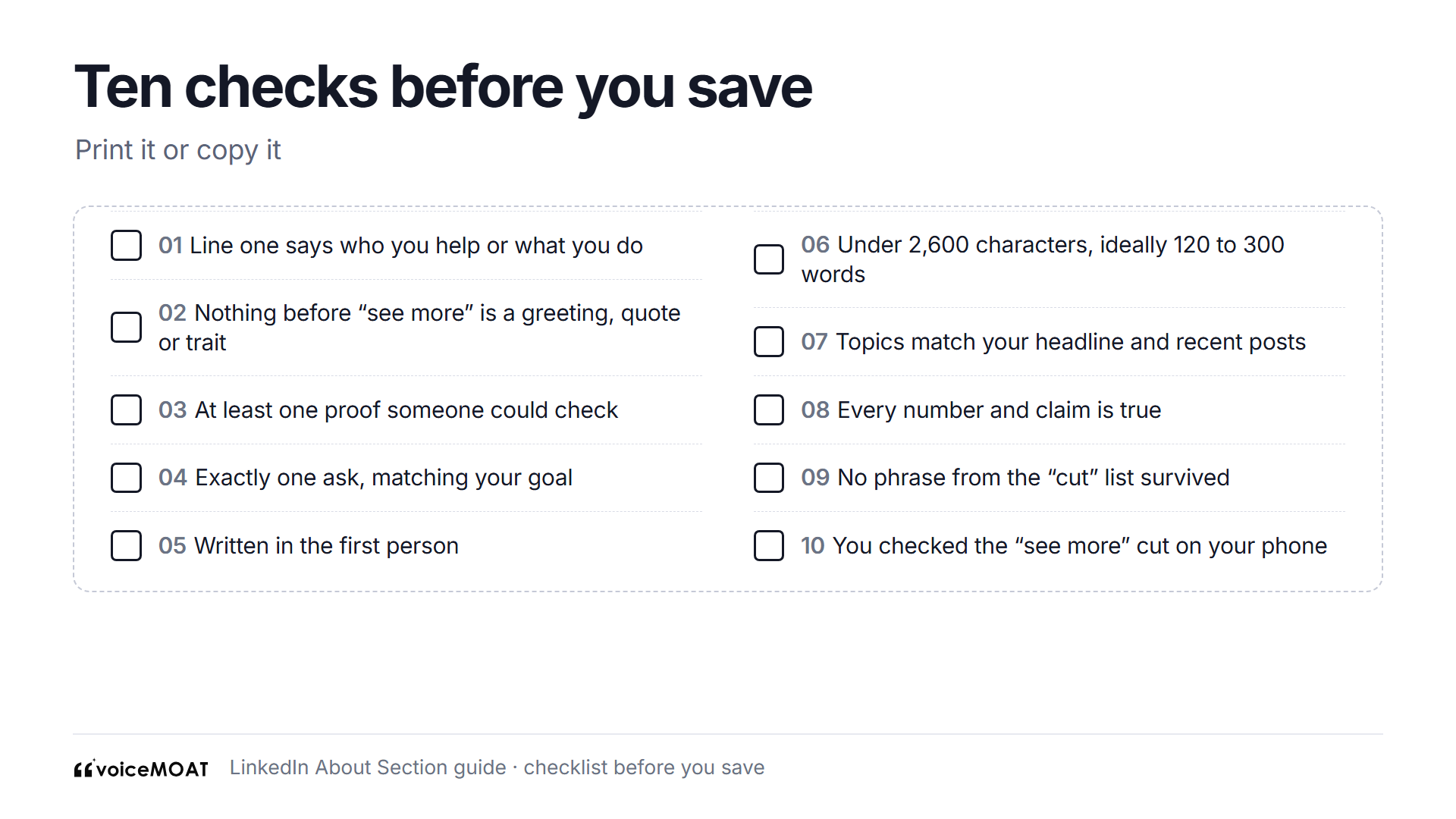
Run this before you hit Save.
How VoiceMoat helps
VoiceMoat is an AI social media tool for LinkedIn and Twitter. audenAI, the brain inside VoiceMoat, does the drafting and you decide what goes on your profile.
LinkedIn summary generator: free, no sign-up, 3 runs a day. Say what you do and add the proof worth including, choose professional, conversational or bold, and optionally paste a sample of your own posts. You get three first-person drafts that open differently: story-led, who-you-help and credibility-led. It's a quick way to try the "same facts, three voices" exercise.
LinkedIn profile analyzer: free, no sign-up, 3 runs a day. Paste your headline and About and it scores 11 checks, including whether your first two sentences say who you help, and whether there's a proof and a next step.
LinkedIn character counter: free. Checks your About against the 2,600 limit and counts styled letters as two.
Inside VoiceMoat: Studio drafts posts from your own ideas and your own posts, so the topics in your About show up in your feed too.
What it can't do:
It can't edit your LinkedIn profile. You paste the final text into LinkedIn yourself.
It doesn't read your profile. The free tools work only on what you paste.
It can't invent proof for you. The generator uses only the details you give it, so a draft with no facts in will have no facts out.
It can't tell you how many people read your About. LinkedIn doesn't report that for the section.
If you want posts that match your About, try VoiceMoat: Creator is $1 for 3 days.
Frequently asked questions
How long should a LinkedIn About section be?
LinkedIn suggests one or two paragraphs; around 120 to 300 words is enough for a hook, what you do, one proof and a next step.
What is the LinkedIn About section character limit?
2,600 characters, according to LinkedIn's talent blog; older guides that say 2,000 are out of date.
How much of my About section shows before "see more"?
LinkedIn doesn't publish a number; it's roughly the first two lines, less on a phone, so make line one count.
Is the LinkedIn summary the same as the About section?
Yes, "summary" is the older name, and LinkedIn's help still uses both for the same box.
Should my LinkedIn About section be in the first or third person?
First person, because LinkedIn's talent blog advises writing how you speak and third person reads like a press release.
What should a student with no experience write in the About section?
Use your course, a project or dissertation, a society role or a part-time job as proof, and name the role you want next.
Can I use bullet points or emojis in the About section?
Yes; LinkedIn's help says bullets are fine, so type them as characters, and keep emojis to one or two.
Does the About section help people find me on LinkedIn?
LinkedIn's talent blog tells members to use the keywords people search for, so put your real role, skills and topics in plain sentences.
How often should I update my LinkedIn About section?
Whenever your role, your goal or the topics you post about change, and at least a quick check every few months.
Can I use AI to write my LinkedIn About section?
Yes, for a draft: give it your own facts and posts, check every claim, and rewrite the first line yourself before you paste it in.
AI disclosure
This article was drafted with AI assistance and edited by Prateek Singh. LinkedIn's help pages and talent blog were read on the source pages on 11 November 2026. All example About sections, people and companies are invented. VoiceMoat is our product.
Keep reading

Growth
How to Grow on LinkedIn in 2026: 7 Steps and a 90-Day Plan
How to grow on LinkedIn in 2026: make your profile name your topics, post 2 to 5 times a week, use comments as a second feed, and track the numbers that show growth, with a 90-day plan.
10 min read
·

Craft
How to Spot an AI-Written LinkedIn Post: 12 Signs and What They Prove
12 signs a LinkedIn post was written by AI, how much each one really proves, why AI detectors get it wrong on short posts, and what LinkedIn's 'Seems like AI slop' button does.
9 min read
·

Brand
Personal Branding for Founders in 2026: What to Post, Where, and How Often
What founders should post, which network to start on, how often to post on LinkedIn and Twitter, and how much time it takes each week, using only numbers we could trace, including RevBoss's 2026 benchmark of 1,202 LinkedIn posts.
10 min read
·

AI and Voice
ChatGPT Twitter Bio and LinkedIn Profile Prompts (2026)
Working ChatGPT, Claude, and Gemini prompts for your Twitter bio, LinkedIn headline, and About section, plus the one fix that stops them sounding generic: training the AI on how you actually write.
19 min read
·
From the Twitter algorithm series
The Twitter/X algorithm in May 2026: why voice wins under the new transformer
Read ›