ai and voice
AI agents for personal branding: what they can run for you in 2026
·
11 min read
·
By Prateek Singh, founder of VoiceMoat
An AI agent for personal branding can plan your week, research topics, draft posts in your style, schedule them and report what worked, but on LinkedIn and Twitter it should stop before anything goes out and wait for your approval.
The safe split is simple: let the agent run research, drafts, scheduling and analytics, and keep likes, comments, follows, connection requests and DMs in your own hands, because both platforms restrict automated engagement.
Tool | Best for | Platforms | Starting price |
|---|---|---|---|
ClickUp agents | personal branding tasks inside a project workspace | Workspace; posting not documented | Free; Core $9/user/mo (billed yearly) |
Taskade agents | ready-made branding coach and planner agents | Workspace; advisory | Free; Starter $6/mo (billed yearly) |
n8n | building your own posting and research workflows | Any network with an API you connect | Starter €20/mo (billed yearly); self-host option |
Relevance AI | teams building custom agent workforces | Custom integrations | Custom (talk to sales) |
Claude with connectors | an assistant that acts through tools you connect | Whatever the connector covers | Free (one custom connector); Pro $20/mo |
VoiceMoat | drafts in your own voice and schedules Twitter and LinkedIn together | Twitter, LinkedIn | $35/mo (Creator), free 3-day trial |
Taplio | a LinkedIn suite with an AI assistant and MCP | $39/mo (AI writing from $69) | |
Postiv | a planning agent that proposes your week for approval | LinkedIn, Twitter | $49.50/mo (Creator Pro, billed yearly) |
VoiceMoat is our product. It sits in the table with the other built-in options, and the same safety rules apply to it as to every tool here.
What counts as an AI agent for personal branding?
The word "agent" gets stuck on everything in 2026, from a chat window with a custom prompt to a fully automated bot. For this guide, an AI agent is software that does three things a plain chatbot does not:
It acts for you. It does something outside the chat: saves a draft, schedules a post, pulls your analytics, files a task.
It plans steps. Given a goal ("plan next week's LinkedIn posts"), it breaks the work into steps and runs them in order.
It uses tools. It calls other software (a calendar, a social API, a search engine, your notes) to get the job done.
By that test, a branding "coach" you chat with is an assistant. It becomes an agent when it can read your past posts, check your calendar and put drafts in your scheduler without you copying anything.
Personal branding is a good fit for agents in some places and a poor fit in others. The repetitive work around a post (research, formatting, scheduling, reporting) automates well. The parts people judge you on (your opinions, your replies, your relationships) do not. ClickUp's own personal branding agent page admits the problem, warning that AI can feel impersonal, which clashes with the personal nature of branding.
The three kinds of personal branding agents
Kind | Examples | Setup effort | Knows your past posts? | Posts for you? |
|---|---|---|---|---|
Template agents | ClickUp, Taskade | Minutes | Only what you paste in | Not documented for social networks |
DIY agents | n8n, Relevance AI, Claude with connectors | Hours to days | If you wire it up | If you connect a posting tool |
Built-in agents | VoiceMoat (audenAI, the brain inside VoiceMoat), Taplio, Postiv | Minutes | Yes, from your connected accounts | Yes, with your approval |
Template agents: ClickUp and Taskade
Template agents live inside a work app. You pick a ready-made agent, give it context and it helps you plan.
ClickUp

ClickUp homepage, checked 17 November 2026.
ClickUp has a personal branding AI agents page powered by ClickUp Brain. It describes agents for content creation (blog posts, tweets, LinkedIn articles), social media management, SEO, analytics, reputation monitoring and networking. The page says social media agents can schedule posts and respond to comments, but it doesn't explain how they connect to LinkedIn or Twitter.
Price: Free Forever ($0, 500 pooled AI credits per workspace), Core $9 per user a month billed yearly, Business $17. Super Agents are listed on every plan and use AI credits; extra credits are $10 per 10,000.
Fits: people who already run their work in ClickUp and want branding tasks next to client work.
Limit: it doesn't learn from your published posts unless you paste them in, and posting to social networks isn't documented.
Taskade

Taskade homepage, checked 17 November 2026.
Taskade offers several personal branding agents you add with one click: a Personal Branding Coach, an Advisor, a Consultant and an Online Presence agent. The coach agent's page lists brand identity, content strategy, social media analysis, feedback on your drafts and progress tracking. Its personal brand calendar template has an agent that drafts LinkedIn posts and newsletter issues and keeps memory between sessions.
Price: Free ($0, no monthly AI credits), Starter $6 a month billed yearly ($72 a year), Pro $10 a month billed yearly.
Fits: someone who wants a planning partner and a calendar for little money.
Limit: the coach page describes advice and planning only; it doesn't say the agent can post.
DIY agents: n8n, Relevance AI and Claude with connectors
DIY agents give you full control. You decide which tools the agent can call, and you build the approval step yourself.
n8n

N8n homepage, checked 17 November 2026.
n8n is a workflow automation tool with AI agent steps. A typical personal branding workflow: every Monday, pull your last week's posts and analytics, ask a model to suggest five post ideas, write them to a Google Sheet or Notion page, and wait for you to mark which ones to draft.
Price: cloud Starter is €20 a month and Pro €50 a month, both billed yearly. There is also a self-hosted Community Edition on GitHub.
Fits: technical founders and operators who want to own the whole pipeline.
Limit: you build and maintain everything, including the API connections and the approval step. Twitter API access also costs money.
Relevance AI

Relevance AI homepage, checked 17 November 2026.
Relevance AI is a platform for building and running teams of AI agents, with 1,000+ integrations. Its homepage leads with sales agents (research, enrichment, deal review), and its pricing page on 17 November 2026 showed one Enterprise plan with a "Talk to sales" button.
Price: custom; talk to sales.
Fits: companies running branding for several executives, with a budget for setup.
Limit: built for teams; a solo creator will find it heavy and the price is not public.
Claude with connectors
Claude homepage, checked 17 November 2026.
Claude becomes an agent once you connect tools to it. Custom connectors use remote MCP (Model Context Protocol), and Claude's help center says they are available on Free, Pro, Max, Team and Enterprise plans, with Free limited to one custom connector. On Pro and Max you add one under Customize > Connectors.
With a social media connector, you can ask Claude to look at last week's posts, suggest ideas, draft in your style and schedule, all from the chat. Several LinkedIn tools now ship MCP servers, including Supergrow, ContentIn, MagicPost, Taplio and VoiceMoat.
Price: Free, or Claude Pro at $20 a month, plus the plan of whichever tool you connect.
Fits: people who already think in Claude and want their tools there.
Limit: the connector decides what is safe. Check whether it previews before it posts. Our guide to connecting Claude to LinkedIn and Twitter walks through setup, and is LinkedIn MCP safe covers the risks.
ChatGPT is a special case. It can use custom connectors, but posting through them is limited to Business, Enterprise and Edu workspaces, so a Plus or Pro user can't post this way. The details are in can ChatGPT post to LinkedIn and Twitter.
Built-in agents: VoiceMoat, Taplio and Postiv
Built-in agents come inside a social media tool. They already know your connected accounts, your past posts and your calendar, so there is little to set up.
VoiceMoat and its connector

VoiceMoat Studio suggesting post ideas, with Style and Stance checks on each draft.
audenAI, the brain inside VoiceMoat, is a chat that answers questions about your account and can draft, schedule or post after you confirm. VoiceMoat is a Personal Brand OS for Twitter and LinkedIn: it learns how you write from your own posts, drafts posts, threads and replies in your style, schedules them and shows what's working.
What you can hand to it:
"What worked on LinkedIn last month?" It reads your analytics (LinkedIn analytics are available on Creator and above).
"Draft three posts from this week's client calls." It drafts from your trained Profile DNA, and each draft gets Style and Stance checks.
"Plan next week." Growth Autopilot plans 7, 15 or 30 days ahead (Creator, Pro, Enterprise).
"Schedule the second draft for Tuesday." Scheduling is on paid plans; LinkedIn posts publish directly through the API at the scheduled time.
Nothing posts without your confirmation: audenAI, the brain inside VoiceMoat, does the work and you decide what goes out. On LinkedIn, comments are drafted for you to post yourself.
The VoiceMoat connector brings the same account into Claude, Grok and Claude Code on Pro and Enterprise. Posting through it takes two calls: a preview that returns a confirmation code, then the send. Setup for Claude takes a few minutes under Customize > Connectors.
Price: Creator $35 a month, Pro $69 (connector included), Enterprise $150. Every paid plan starts with a free 3-day trial: card needed, nothing is charged today.
Fits: people who post on both Twitter and LinkedIn and want one agent that knows both accounts.
Limit: two platforms only, and no autonomous engagement by design.
Taplio

Taplio homepage, checked 17 November 2026.
Taplio doesn't call any feature an agent, but Ask Taplio drafts the work, and its MCP connection lets an assistant draft comments and queue them; the homepage says nothing posts until you confirm. It is LinkedIn only, from $39 a month, with AI writing from the $69 Growth plan. Its Connect feature auto-sends connection requests and DMs on accept, which is the kind of automation the safety table below flags as high risk.
Postiv
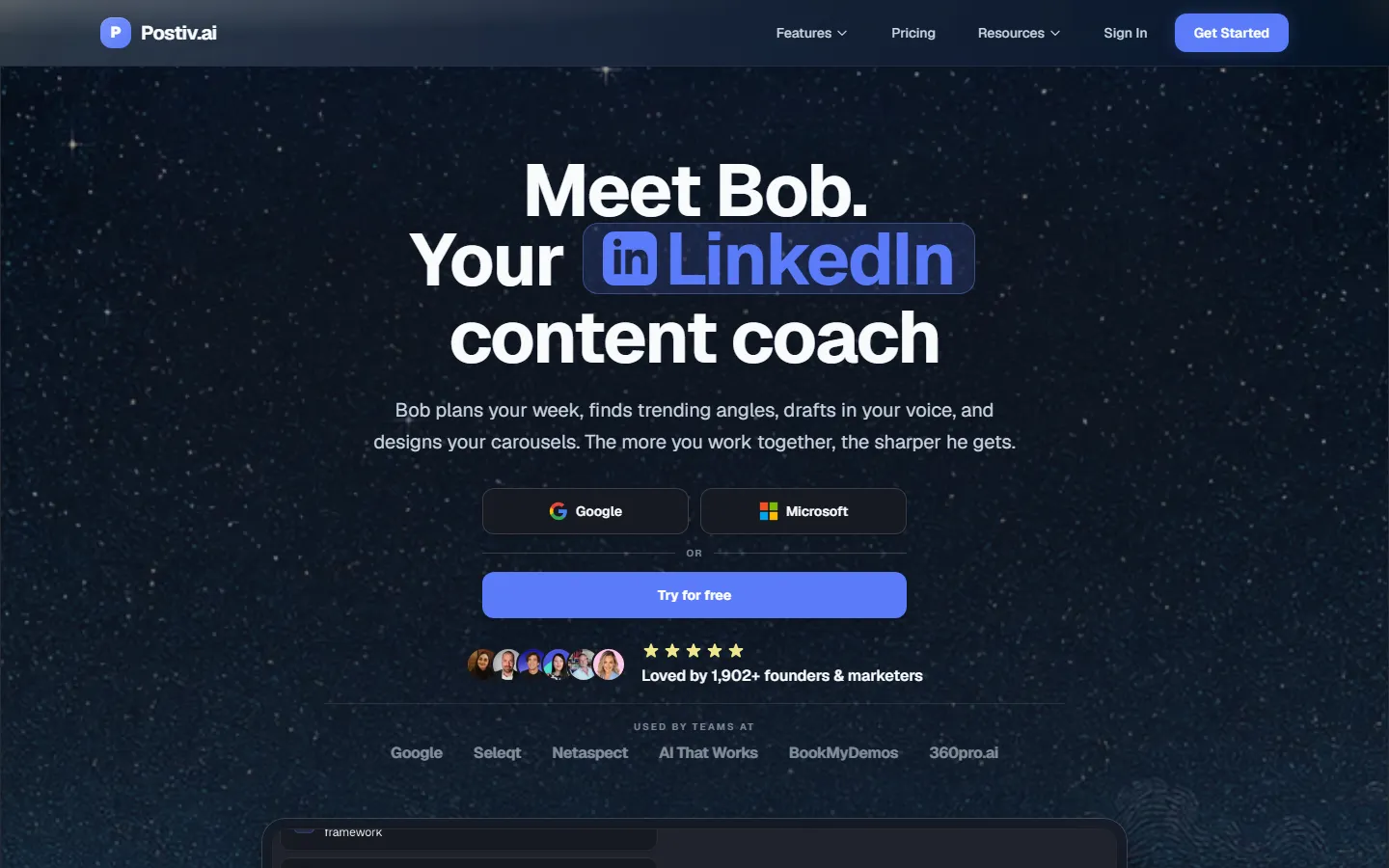
Postiv homepage, checked 17 November 2026.
Postiv is the most openly agent-led of the three. Its planning agent, Bob, builds a weekly plan per profile, and you approve it. You can also plug in your own AI through MCP. It covers LinkedIn profiles, LinkedIn company pages and Twitter. Creator Pro is $49.50 a month billed yearly, with a 7-day free trial.
What is safe to automate on LinkedIn and Twitter?
Both platforms allow tools that help you publish your own content. Both restrict tools that act on other people for you.
LinkedIn: its User Agreement (section 8.2) bans bots or unauthorized automated methods used to add or download contacts, send or redirect messages, or create, comment on, like, share or re-share posts, or otherwise drive inauthentic engagement. A separate item bans plugins and scripts that scrape profiles and data.
Twitter: its automation rules say automated replies triggered by keyword searches alone are not permitted, and its rules and best practices say automated following and unfollowing are not allowed. Scheduling your own posts through the API is the normal use of it.
Task | Keep human? | ||
|---|---|---|---|
Research topics and summarize sources | Safe | Safe | No, but check facts |
Suggest post ideas from your notes | Safe | Safe | No |
Draft posts and threads in your style | Safe | Safe | Edit before approving |
Schedule your own posts through the official API | Safe | Safe | Approve each post |
Pull and summarize your analytics | Safe | Safe | No |
Draft replies or comments for you to post | Safe | Safe | You click post |
Auto-post comments on other people's posts | Banned in 8.2 | Keyword-triggered replies not permitted | Yes |
Auto-like posts | Banned in 8.2 | High risk | Yes |
Auto-follow or auto-connect | Banned in 8.2 ("add contacts") | Not allowed | Yes |
Auto-send DMs | Banned in 8.2 ("send messages") | High risk | Yes |
Scrape profiles or feeds with an extension | Banned in 8.2 | Check the developer terms | Yes |
Beyond the rules, there is a brand reason. People remember how you reply. A reply written by a bot under your name is the fastest way to lose the trust your posts earn. Our longer guide is is it safe to use AI on LinkedIn and Twitter.
Where the human approval step goes
An agent saves the most time when it does everything up to the decision and then stops. Here is a weekly loop that keeps you in charge:
Monday, the agent reports. It pulls last week's posts and analytics and tells you which ideas earned profile views, replies and follows.
The agent proposes. It suggests five to seven post ideas from your notes, calls and best posts.
You pick. Choose three or four. Cut anything you wouldn't say out loud to a client.
The agent drafts. It writes each one in your style and flags anything that contradicts what you've said before.
You edit and approve. Add the detail only you know: the number, the client story, the opinion.
The agent schedules. Approved posts go into the calendar for the times you choose.
You engage. Replies, comments and DMs stay with you. The agent can draft a reply; you post it.
Example written for this guide: a consultant tells the agent "plan next week from my three sales calls". The agent returns five ideas, one is a story about a client who cut their onboarding time. The consultant approves it, adds the client's industry and the real before and after numbers, and schedules it for Tuesday. The agent never touched a comment.
Any tool you use should make step 5 explicit. Look for a preview, an approval queue or a confirmation code before the send. If a tool posts the moment you ask, treat that as a warning sign.
How to choose an agent setup
If you... | Start with |
|---|---|
Already run your work in ClickUp or Taskade | Their branding agents for planning; a separate tool to post |
Like building systems and want full control | n8n with an approval step in a sheet or Notion |
Run branding for several executives | Relevance AI or a team plan of a social tool |
Live in Claude all day | Claude with a social media connector |
Post on LinkedIn only and want one dashboard | Taplio or Postiv |
Post on LinkedIn and Twitter | VoiceMoat with audenAI, the brain inside VoiceMoat |
Agents speed up the work around your brand, so the positioning has to come first. If you haven't decided what you want to be known for, start with how to build a personal brand with AI, and for the system view see what a personal brand OS is.
See how audenAI, the brain inside VoiceMoat, plans, drafts and schedules with your approval at voicemoat.com/product/auden.
Frequently asked questions
Can an AI agent run my personal brand completely on its own?
It can run the production work, but not safely the whole brand. Both LinkedIn and Twitter restrict automated engagement, and your opinions, stories and relationships are the parts people follow you for.
Is an AI personal brand manager the same as an agent?
Usually it means the same thing: software that plans, drafts, schedules and reports for you. Check whether it acts through tools (an agent) or only gives advice in a chat (an assistant).
Will LinkedIn ban me for using an AI agent?
Writing and scheduling your own posts through LinkedIn's official API is normal use. The risk comes from bots that like, comment, connect or message for you, which section 8.2 of the User Agreement bans.