The best personal branding tools in 2026 depend on the job: Claude or ChatGPT for positioning and first drafts, Canva for visuals, Descript or Riverside for video, Buffer or Typefully for scheduling, Framer or Carrd for a website, Beehiiv or Kit for a newsletter, and Google Alerts for monitoring your name.
Most people need four or five of these, not fifteen, and a working stack can start at $0 a month.
This guide covers every job a personal brand needs, AI or not. If you only want the AI side, we go deeper in the best AI tools for personal branding. VoiceMoat, which appears in the table, is our own product, so it sits in the row where it fits.
Job | Tool | Best for | Platforms | Starting price |
|---|---|---|---|---|
Positioning | Claude | Interviewing you and turning answers into a positioning line | Web, desktop, mobile | Free; Pro $20/mo |
Positioning | ChatGPT | Brainstorming angles, bios and content pillars | Web, desktop, mobile | Free; paid: check site |
Content | VoiceMoat (Personal Brand OS) | drafts in your own voice and schedules Twitter and LinkedIn together | Twitter, LinkedIn | $35/mo (Creator), free 3-day trial |
Content | Taplio | LinkedIn drafting, carousels, scheduling and analytics | $39/mo | |
Content | AuthoredUp | Formatting, previewing and analysing LinkedIn posts | LinkedIn (web app and Chrome extension) | $19.95/mo |
Visuals | Canva | Post graphics, carousels, banners and a brand kit | Web, desktop, mobile | Free; Pro: check site |
Visuals | HeadshotPro | AI headshots for profile photos | Web | $29 one-time |
Video | Descript | Editing talking-head video and podcasts by editing the transcript | Web, desktop | Free; Hobbyist $24/mo |
Video | Riverside | Recording remote interviews and podcasts | Web, mobile | Free; Pro $29/mo |
Video | OpusClip | Cutting long videos into short clips | Web | Free; Starter $15/mo |
Scheduling | Buffer | Cheap scheduling across many networks | Most major networks | Free; $5/mo per channel |
Scheduling | Typefully | A clean composer and queue for text-first creators | Twitter, LinkedIn, Threads, Bluesky and more | Free; Creator $99/yr |
Analytics | Metricool | Cross-network analytics and reports | Most major networks (Twitter as an add-on) | Starter $25/mo |
Website | Framer | A designed personal site you own | Web | Free; Basic $10/mo |
Website | Carrd | A one-page site or link page | Web | Free; Pro from $9/yr |
Website | Copyfolio | A portfolio site for creatives | Web | Premium $15/mo (7-day free trial) |
Newsletter | Beehiiv | A newsletter with growth tools | Web | Free up to 2,500 subscribers |
Newsletter | Kit | Email for creators with automations | Web | Free up to 10,000 subscribers |
Newsletter | Substack | Free publishing with paid subscriptions built in | Web, app | 10% of paid subscription revenue |
Monitoring | Google Alerts | Email alerts when your name appears online | Web | Free |
Monitoring | Brand24 | Tracking mentions across social, news and forums | Web | $199/mo billed yearly ($249 monthly) |
Profile polish | Teal | Turning your LinkedIn profile into a resume and job tracking | Web, Chrome extension | Free; Teal+ $13/week |
Prices were read on each vendor's own pricing page on 17 November 2026 (a few on 16 November), in US dollars and monthly billing unless stated. Where a page blocked our check or showed no price, the cell says "check site".
Which job do you need first?
Most personal brand tool lists start with the shiniest AI tool. Start with your bottleneck instead. Answer these in order and stop at the first "no":
Can you say in one sentence who you help and what you are known for? If not, start with positioning. Every later tool works better once this exists.
Do you publish at least twice a week? If not, your problem is content production. Pick one drafting tool.
Do your posts look like they come from the same person? If not, fix visuals: a Canva brand kit and one good headshot.
Do you post on a schedule, or only when you remember? If the second, add a scheduler.
Do you know which posts brought you followers, leads or replies? If not, add analytics.
Do you own a way to reach your audience if a platform changes its rules? If not, start a newsletter and a simple website.
Do you know when people mention you? If not, set up Google Alerts. It takes five minutes.
The rest of this guide follows that order.
Positioning tools: decide what you want to be known for
Positioning is the job most people skip, and no software does it for you. What tools can do is ask good questions and turn your messy answers into a clear line. A general AI assistant does this well for free.
Claude
Claude homepage, checked 17 November 2026.
Claude is the assistant we would pick for a positioning session because it handles long, back-and-forth conversations and long pasted documents well. Ask it to interview you one question at a time, then summarise your strengths, audience and three positioning angles.
Who it fits: anyone who has not written down their niche yet.
Price: free plan; Pro is $20 a month.
Limit: it only knows what you tell it. If you give it vague answers, you get a vague positioning line back.
A starting prompt (example written for this guide):
ChatGPT
ChatGPT homepage, checked 17 November 2026.
ChatGPT is just as useful for the brainstorming side: content pillars, bio variants, headline options and a list of topics only you could post about. Its free plan is enough for a positioning session.
Who it fits: people who want many options fast and will pick the best one themselves.
Price: free plan; ChatGPT's pricing page showed no paid prices to our check on 17 November 2026, so check the site.
Limit: like any general assistant, its suggestions drift toward the average of your field unless you push it with specifics.
If you want a structured, paid alternative to a DIY session, there are dedicated brand strategy generators. We compare them in the best AI personal brand builders.
Content tools: draft and publish posts every week
This is where most of your weekly hours go. The choice comes down to which platforms you post on and whether you want drafts that start from your own past posts.
VoiceMoat

VoiceMoat Studio suggesting post ideas, with Style and Stance checks on each draft.
VoiceMoat is our product. It is a Personal Brand OS for Twitter and LinkedIn: an AI social media tool that learns how you write from your own posts, drafts posts, threads and replies in your style, schedules them, and shows what is working.
How it learns: only from your own posts. Twitter posts come in through the API; on LinkedIn you train it in one click with the Chrome extension or paste posts into Voice Lab. Each platform gets its own Profile DNA. The first training is free on every plan.
What you get: Studio drafts posts and threads with an Improve pass, and each draft gets a Style check and a Stance check. Paid plans add one calendar per profile, so Twitter and LinkedIn posts are scheduled from the same app, plus Twitter analytics. LinkedIn analytics are available on Creator and above.
Price: Free plan at $0 (10 credits a day, no scheduling). Creator is $35 a month, Pro $69, Enterprise $150. Every paid plan starts with a free 3-day trial; a card is needed, nothing is charged today, and if you cancel before day 3 you pay nothing. Details are on /pricing.
Limit: Twitter and LinkedIn only. No Instagram, TikTok or video tools, and scheduling needs a paid plan.
Taplio

Taplio homepage, checked 17 November 2026.
Taplio is the LinkedIn all-in-one: drafting, carousels, scheduling, analytics and a lead database. Its older Chrome extension has been replaced by Taplio Boost.
Who it fits: people who only post on LinkedIn and want one tool for everything there.
Price: Starter $39, Growth $69, Pro $199 a month. AI drafting sits in Growth, so budget $69 if that is why you want it. The full breakdown is in Taplio pricing.
Limit: LinkedIn only, so Twitter needs a second tool.
AuthoredUp
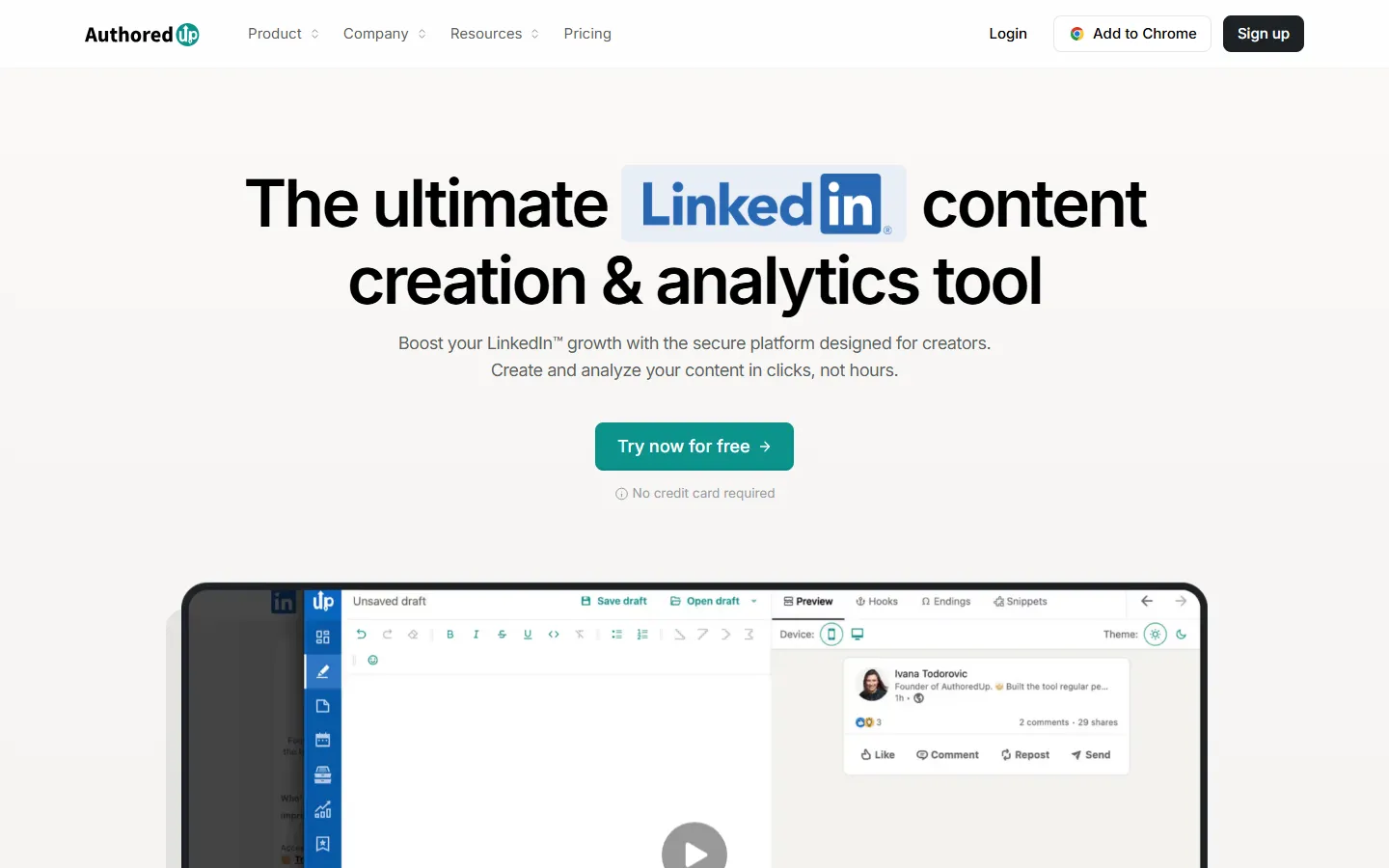
AuthoredUp homepage, checked 17 November 2026.
AuthoredUp is a LinkedIn editor and analytics tool. You format posts with bold and italics, save hooks and endings, preview how the post will look on mobile and desktop, and see which past posts did best. It works as a web app and a Chrome extension inside LinkedIn.
Who it fits: people who write their own posts and want better formatting and data, not AI drafts.
Price: $19.95 a month; the homepage offers a free trial without a card.
Limit: LinkedIn only, and it is an editor first, so it will not draft a week of content for you.
More LinkedIn-specific options, including Kleo, ContentIn and Supergrow, are in the best AI tools for LinkedIn personal branding.
Visual tools: make your posts and profiles recognisable
A consistent look is what makes someone recognise your post before they read your name. Two jobs matter: a template system for posts, and a good profile photo.
Canva

Canva homepage, checked 17 November 2026.
Canva makes post graphics, LinkedIn carousels, banners and thumbnails. The most useful part for a personal brand is the Brand Kit, which stores your colours, fonts and logo so every design starts from the same system.
Who it fits: everyone. It is the default visual tool for non-designers.
Price: free plan; Canva's pricing page redirected us to a non-US price list on 17 November 2026, so check the site for the US Pro price.
Limit: templates are popular, so lightly edited ones look like everyone else's. Change the fonts and colours to your own.
HeadshotPro

HeadshotPro homepage, checked 17 November 2026.
HeadshotPro generates professional headshots from selfies you upload. Your profile photo shows up next to every post and comment, so it is one of the cheapest upgrades on this list.
Who it fits: people without a recent professional photo.
Price: one-time packages: Basic $29 (30 headshots), Professional $39 (50), Executive $59 (70).
Limit: results vary, and an AI headshot that does not look like you in person hurts trust. Pick the most natural one, not the most polished.
Video and podcast tools: show your face and your thinking
Video is optional for a personal brand, but if you already speak on calls, podcasts or webinars, these tools turn that into content.
Descript

Descript homepage, checked 17 November 2026.
Descript lets you edit video and podcasts by editing the transcript: delete a sentence in the text and it disappears from the video.
Who it fits: people who record talking-head videos or a podcast and do not want to learn a timeline editor.
Price: free plan; Hobbyist $24 a month ($16 billed yearly), Creator $35 ($24 yearly).
Limit: it is an editor, not a recorder for remote guests, so interviews usually pair it with Riverside.
Riverside

Riverside homepage, checked 17 November 2026.
Riverside records remote interviews with each person's video captured locally, so a weak connection does not ruin the recording.
Who it fits: founders and consultants who run an interview show or record guests.
Price: free plan; Pro $29 a month ($24 billed yearly, $288 a year).
Limit: overkill if you only record yourself on a laptop camera.
OpusClip

OpusClip homepage, checked 17 November 2026.
OpusClip cuts long videos into short clips with captions for LinkedIn, Twitter and short-video apps.
Who it fits: anyone with long recordings (webinars, podcasts, talks) sitting unused.
Price: free plan (one clip a day); Starter $15 a month; Pro $29 a month.
Limit: it picks clips by pattern, not by what matters to your audience, so review every cut before posting.
A free option for basic editing is CapCut, whose site offers online editing without a card; check the site for paid plans.
Scheduling tools: post on a rhythm
Scheduling matters more than people expect. Posting on a steady rhythm is easier when the week is planned on Sunday instead of decided each morning. For a deeper comparison, see the best LinkedIn and Twitter schedulers.
Buffer

Buffer homepage, checked 17 November 2026.
Buffer is the simplest cheap scheduler for many networks.
Who it fits: people who post on three or more networks and want a calendar more than an AI.
Price: free plan, then $5 a month per channel.
Limit: its AI helps with rephrasing, but it does not learn from your past posts. See Buffer pricing for the per-channel math.
Typefully

Typefully homepage, checked 17 November 2026.
Typefully is a clean composer and queue for text-first creators. It started as a thread writer for Twitter and now publishes to LinkedIn, Threads, Bluesky and other networks.
Who it fits: writers who care about how a thread or post looks before it goes out.
Price: free plan; Creator $99 a year (annual only); Business $18 a month per social set billed yearly ($20 monthly).
Limit: its analytics are lighter than a dedicated analytics tool.
Analytics tools: learn what is working
Native analytics on Twitter and LinkedIn are free and often enough for one person. Check which posts brought followers, profile visits and replies, not only views. Add a tool when you post on several networks and want one report.
Metricool

Metricool homepage, checked 17 November 2026.
Metricool combines scheduling with cross-network analytics and exportable reports.
Who it fits: people who post on several networks, or consultants who report results to clients.
Price: Starter $25 a month ($20 billed yearly). Twitter is a paid add-on.
Limit: the Twitter add-on raises the real price if Twitter is a main channel.
One tool you will see in older lists is Shield, a LinkedIn analytics tool. Its site returned a "deployment disabled" error when we checked on 17 November 2026, so we left it out.
Website and portfolio tools: a home base you own
Your profile on Twitter or LinkedIn belongs to the platform. A personal site is the one link you control, and it is what shows up when someone searches your name.
Framer

Framer homepage, checked 17 November 2026.
Framer is a website builder with design control close to a design tool, plus templates for personal sites.
Who it fits: founders and creators who want a polished site with a blog.
Price: free plan on a Framer domain; Basic $10 a month; Pro $30 a month. A custom domain needs a paid plan.
Limit: more to learn than a one-page builder.
Carrd
Carrd homepage, checked 17 November 2026.
Carrd builds one-page sites: a short bio, links, a newsletter signup.
Who it fits: anyone who needs a page this week, not a full site.
Price: free account; Pro plans are billed yearly, from Pro Lite at $9 a year to Pro Standard at $19 a year.
Limit: one page per site, so it is not the place for a blog.
Copyfolio

Copyfolio homepage, checked 17 November 2026.
Copyfolio builds portfolio sites and blogs for creatives, with a built-in branding coach.
Who it fits: designers, writers and other creatives who need a portfolio first.
Price: 7-day free trial; Premium $15 a month (yearly billing saves $72). Publishing a site needs Premium.
Limit: built around showing work samples, so it suits creatives more than consultants.
Newsletter tools: own your audience
Followers can disappear when an algorithm changes. An email list does not. Even a small list of people who asked for your emails is worth more than a much larger number of passive followers.
Beehiiv

Beehiiv homepage, checked 17 November 2026.
Beehiiv is a newsletter platform with growth tools such as referral programs and recommendations.
Who it fits: creators who want the newsletter to grow on its own over time.
Price: free up to 2,500 subscribers; Lite from $49 a month billed yearly ($59 monthly) for up to 1,000 subscribers.
Limit: you will outgrow the free plan's subscriber cap if the list takes off.
Kit

Kit homepage, checked 17 November 2026.
Kit (formerly ConvertKit) is email for creators, with automations, landing pages and digital product sales.
Who it fits: people who plan to sell a course, template or service by email.
Price: free up to 10,000 subscribers; Creator $33 a month billed yearly ($390 a year) at 1,000 subscribers.
Limit: the most useful automations sit on paid plans.
Substack

Substack homepage, checked 17 November 2026.
Substack is a publishing platform with paid subscriptions built in and a reader network of its own.
Who it fits: writers who might charge for a newsletter later.
Price: Substack keeps 10% of paid subscription revenue, plus card fees.
Limit: less design control, and your page lives inside Substack's network.
Monitoring tools: know when people mention you
Google Alerts

Google Alerts homepage, checked 17 November 2026.
Google Alerts emails you when new pages mention your name, your company or a topic you follow. You choose sources, language, region and how often alerts arrive.
Who it fits: everyone. Set an alert for your full name in quotes today.
Price: free with a Google account.
Limit: it covers the web, not most social posts.
Brand24

Brand24 homepage, checked 17 November 2026.
Brand24 tracks mentions across social networks, news, blogs and forums, with sentiment and reach.
Who it fits: public figures, authors and founders whose name is already discussed widely.
Price: Individual $249 a month, or $199 a month billed yearly, with a 14-day free trial.
Limit: expensive for someone still building an audience. Use Google Alerts until you have mentions to track.
Profile polish tools: make your profile do its job
Your Twitter bio and LinkedIn headline decide whether a visitor follows you. Most of this work is free.
Teal

Teal homepage, checked 17 November 2026.
Teal is a job search toolkit: a resume builder that can start from your LinkedIn profile, a job tracker and a Chrome extension.
Who it fits: people building a personal brand partly to land their next role.
Price: free plan; Teal+ is $13 a week, $29 every 30 days or $79 every 90 days.
Limit: it is built for job seekers, not for growing an audience.
For the profile itself, our free LinkedIn profile analyzer scores what you have.
Free personal branding tools
You can run a personal brand for $0 a month. This is the free stack, with the catch for each:
Job | Free tool | The catch |
|---|---|---|
Positioning and drafts | Claude or ChatGPT free plan | Usage limits; you steer every draft |
Visuals | Canva free plan | Brand Kit features are limited on free |
Video editing | CapCut or Descript free plan | Export and feature limits |
Scheduling | Buffer free plan | Limited channels and queue size |
Analytics | Native Twitter and LinkedIn analytics | One platform at a time |
Website | Carrd or Framer free plan | No custom domain on free |
Newsletter | Kit (up to 10,000 subscribers) or Beehiiv (up to 2,500) | Fewer automations |
Monitoring | Google Alerts | Web only, not social posts |
Profile | VoiceMoat's free brand voice analyzer and profile tools | One-off checks, not ongoing tracking |
VoiceMoat's Free plan also works here: 10 credits a day, 3 posts and 10 replies a day and one profile, without scheduling.
Three starting stacks with monthly totals
These use the prices above, monthly billing unless noted. Canva's paid plan is left out of the totals because we could not confirm its US price.
Lean stack: about $21 a month
For someone posting a few times a week on one platform, writing most posts themselves.
Job | Tool | Monthly cost |
|---|---|---|
Positioning and drafts | Claude Pro | $20 |
Visuals | Canva free | $0 |
Scheduling | Buffer free | $0 |
Website | Carrd Pro Lite ($9 a year) | $0.75 |
Newsletter | Kit free | $0 |
Monitoring | Google Alerts | $0 |
Total | $20.75 |
Creator stack: $60 a month
For a creator posting on Twitter and LinkedIn most days, with some short video.
Job | Tool | Monthly cost |
|---|---|---|
Drafting, scheduling and analytics (Twitter and LinkedIn) | VoiceMoat Creator | $35 |
Clips from long videos | OpusClip Starter | $15 |
Website | Framer Basic | $10 |
Visuals | Canva free | $0 |
Newsletter | Beehiiv free | $0 |
Monitoring | Google Alerts | $0 |
Total | $60 |
Add Descript Hobbyist ($24) instead of OpusClip if you edit full videos, which brings the total to $69.
Founder stack: about $170 a month
For a founder running a podcast or interview series, posting on both platforms and selling through email.
Job | Tool | Monthly cost |
|---|---|---|
Drafting, scheduling and analytics (Twitter and LinkedIn) | VoiceMoat Pro | $69 |
Recording guests | Riverside Pro | $29 |
Clips | OpusClip Pro | $29 |
Newsletter and email sales | Kit Creator (billed yearly) | $33 |
Website | Framer Basic | $10 |
Headshots | HeadshotPro Professional ($39 once) | $0 after month one |
Monitoring | Google Alerts | $0 |
Total | $170 a month, plus $39 once |
If you only post on LinkedIn, swap VoiceMoat for Taplio Growth ($69) or AuthoredUp ($19.95) plus Claude Pro ($20). Add Brand24 only when people already talk about you often enough to need tracking.
How to avoid buying too many tools
Buy for the bottleneck. Go back to the seven questions above and pay only for the first "no".
One tool per job. Two schedulers or two drafting tools double the setup and split your data.
Run each new tool for 30 days on real work. If you did not open it in the last week of the trial, cancel.
Keep the free layer free. Google Alerts, native analytics and a free newsletter plan cover a lot before you need paid versions.
The tools do not replace the fundamentals. For those, read the personal branding guide, and if you are a founder, personal branding for founders.
If drafting and scheduling on Twitter and LinkedIn is your first bottleneck, start your free 3-day trial at voicemoat.com.
Frequently asked questions
What is the difference between personal branding software and a social media scheduler?
A scheduler only publishes posts you already have. Personal branding software usually covers more of the job: helping you decide what to post, drafting it, keeping a consistent look and showing which posts build your reputation. Many people use both, or one tool that combines drafting and scheduling.
Is there a personal branding app for iPhone?
Most tools here have mobile apps or mobile web versions, including Canva, Claude, ChatGPT, Buffer and Riverside. Drafting and planning a week of posts is still easier on a laptop, so treat the phone as the place to capture ideas and approve posts.
How much should I spend on personal branding tools?
Start at $0 to $25 a month and spend more only when a specific job is slowing you down. The three stacks above run from about $21 to about $170 a month. An agency or ghostwriter usually costs far more, which we compare in personal branding agency vs AI software.
Do I need a personal website if I am active on LinkedIn?
It is not required, but it helps. A site is the one page you control, it shows up when people search your name, and it gives you a place to collect email subscribers. A free Carrd or Framer page is enough to start.